13
OPERATING INSTRUCTIONS (CONTINUED)
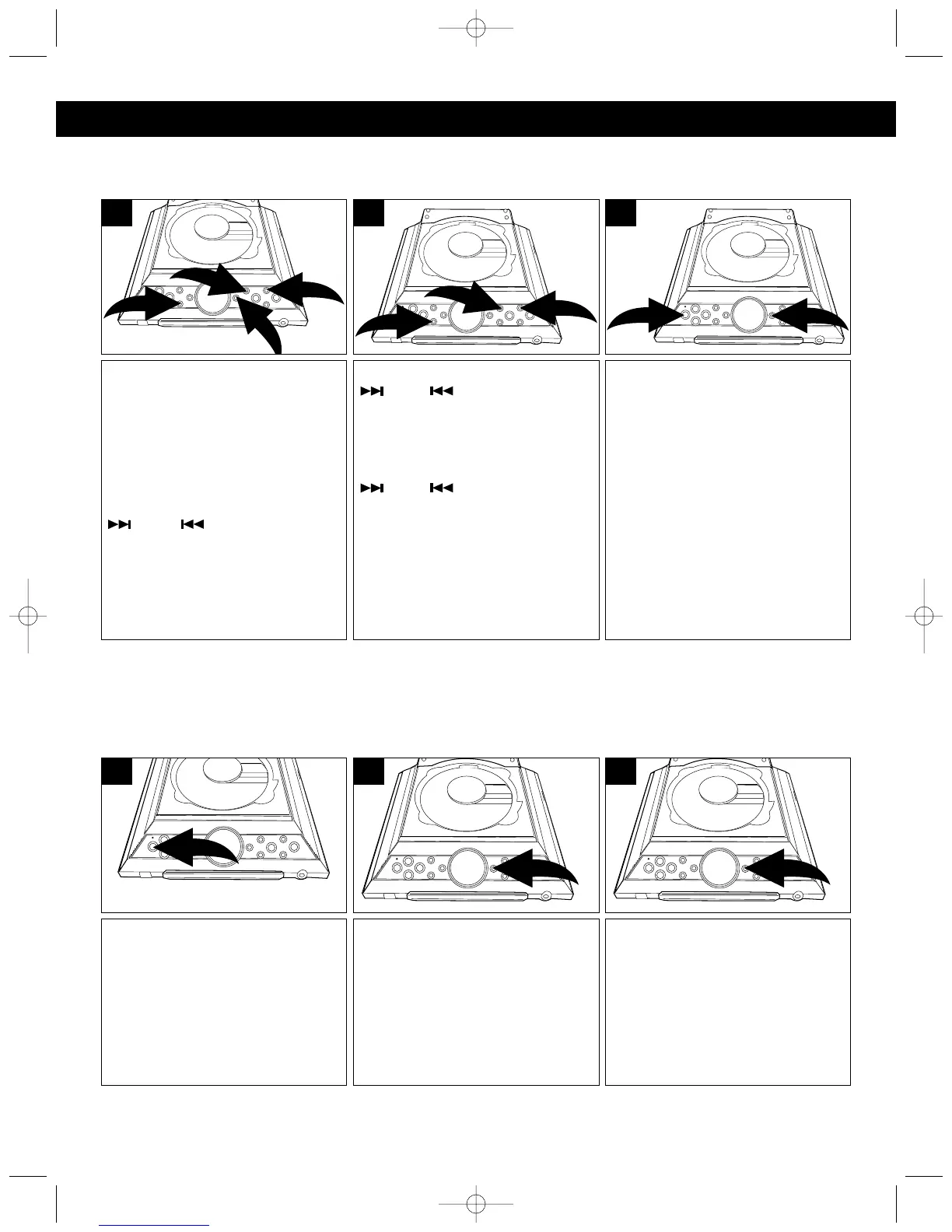
With the power off, press and
hold the TIMER/SLEEP button ❶
(TIMER on the remote) until
“TIMER” blinks in the display.
Press and hold the MEM/CLOCK
ADJ button ❷ until the 12H/24H
blinks in the display.
Press the TUNING/SKIP/Search
❸ or ❹ button to select
between 12H/24H then press the
MEM/CLOCK ADJ button ❷
again; the hour digits will blink.
3
1
4
2
1
Within a few seconds, “TIMER” will
light in the display to indicate that
the timer is set. When the actual
time matches the time set for the
Timer, the unit will turn on to the
last function (CD or tuner) used.
TO TURN THE TIMER OFF AND
SET IT FOR THE NEXT DAY,
press the POWER/STANDBY
button
❶.
TO TURN THE TIMER OFF SO IT
IS NOT SET FOR THE NEXT DAY,
press and hold the TIMER/SLEEP
button
❷ again until “TIMER”
disappears from the display.
2
1
3
Press the TUNING/SKIP/Search
❶ or ❷ button to set the
hour, then press the
MEM/CLOCK ADJ button ❸
again; the minute digits will blink.
Press the TUNING/SKIP/Search
❶ or ❷ button to set the
minutes, then press the
MEM/CLOCK ADJ button ❸
again.
1
2
3
2
SETTING THE TIMER
Set the timer to turn the unit on to the Tuner or CD mode at a preset time as follows :
Press the POWER/STANDBY
button to turn the unit on and tune
the desired radio station or insert a
CD as previously instructed.
1
Press the TIMER/SLEEP button a
second time to set the unit to turn
off after 80 minutes. Each
additional press with decrease the
sleep time by 10 minutes. After the
sleep time is set, you can press the
TIMER/SLEEP button at any time
to stop the Sleep function; “SLEEP”
will disappear from the display.
3
Press the TIMER/SLEEP button
and “90” will appear and “SLEEP”
will blink in the display.
2
ACTIVATING THE SLEEP FUNCTION
Set the sleep timer as follows:
The unit will revert back to standby mode one hour after the timer has been activated.
MX4114.O/M.QXD 2/11/03 8:17 AM Page 13



 To Next Page