7
9. VOICE RECORDER
Enter main menu:
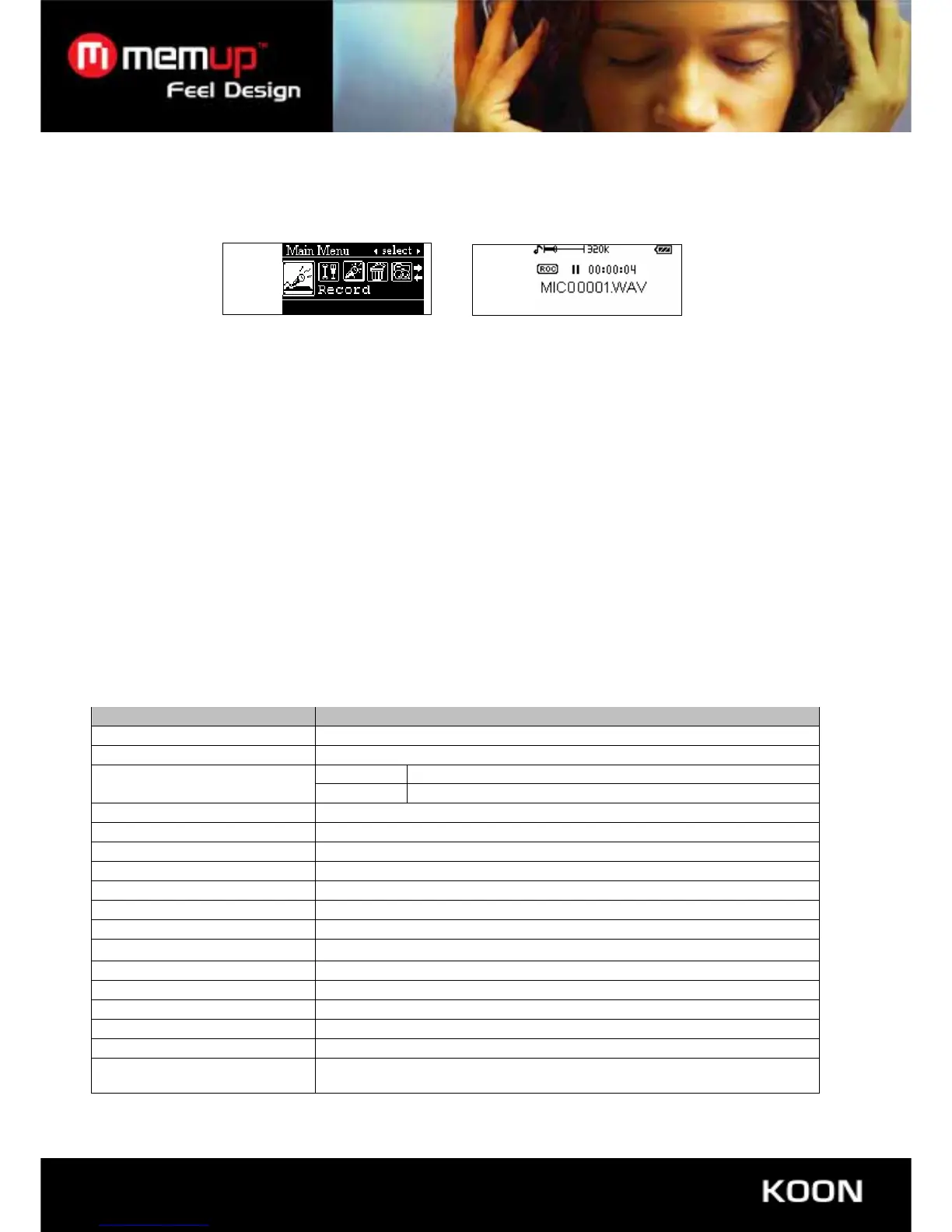
Press “-/+” button to select “ Record” mode, then press “Mode” button to enter “record” and start to recording, show
as below:
Press “PLAY” button to pause recording, press and hold “Play” button to stop recording and save recording files
automatically and exit to voice menu. Press and hold “MODE” button in the stop status to exit and return to main menu.
10. INTRO
Press“-/+”button to choose “Intro” under main menu interface, press “Play” button to enter into “Intro”, press “-
/+” button to setting PRE-INTRO time: 01-15s. Press “Mode” button to confirm and back to playing interface.
Press and hold “Play” button for 2 seconds, it will stop playing and the “Intro” function automatic.
11. ABOUT
Under main menu interface, press “-/+” button to select “About”, press “Play” button to enter “About”, you can see
the player information, including total capacity (Total) and the rest capacity Free and software version. Press “Mode” to
exit.
12. MICRO SD-CARD:
Enter main menu, press“-/+”button to select “Charge Medium”, press “Mode” button to enter “Charge Medium”, so
you can use Micro SD-CARD
13. SPECIFICATIONS
Item Specifications
Memory capacity 1GB/2GB
Battery Life Appro. 8 hours
MP3 MP3, WMA, WAV
Formats supported
Voice ADPCM, WAV
Earphone Output 5mw +5mw
USB USB2.0 High speed
LCD DOTS:128X64 Display
Language Supported English, French, Spanish, German, Portuguese, Italian, Dutch
Dimension 85.5mmx27.2mmx11.1mm
Weight 29g
Memory type Embedded Flash memory
Power supply
3.7V (Li-polymer Rechargeable)
Working temperature -10° 50°
S/N ratio ≥85dB
Output distortion <0.1%
Signal separation >80dB
Output frequency
20HZ-20KHZ
Recording sampling
frequency
32Kbps, 64Kbps, 88Kbps, 128Kbps for your selection



 To Previous Page