EN
33
32. Button for return to charging station
FIG. 6
Using the remote control
1. The remote control is used to change
the settings on the vacuum cleaner. Set
the power switch on the vacuum cleaner
in the ON position and press the button
to control the vacuum cleaner with
the buttons on the remote control. (The
vacuum cleaner switches to standby mode
if no action is taken within one minute.)
2. Press
to activate the vacuum cleaner.
If no action is taken within 15 minutes the
vacuum cleaner switches o and the
button must be pressed to start it.
3. When the vacuum cleaner is in standby
mode, press
to activate vacuum
cleaning mode. Press the direction
buttons to control the direction in which
the vacuum cleaner is to move.
4. When the vacuum cleaner is in standby
mode or vacuum cleaning mode, press
to switch to return mode to nd the
charging station.
5. When the vacuum cleaner is in standby
mode, press
to activate vacuum
cleaning mode. When the vacuum
cleaner is in vacuum cleaning mode,
press
to change the type of vacuum
cleaning mode.
6. Press the
remote control to start high
power vacuum cleaning. (High power
vacuum cleaning increases the suction
power for spot vacuum cleaning.)
USE
CHARGING THE BATTERY
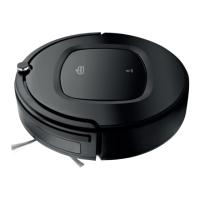
1. Place the charging station beside a wall.
There must be a free space of one metre
on each side of the charging station, and
two metres of free space in front.
FIG. 7
2. Put the power switch underneath the
vacuum cleaner in the ON position. If
the vacuum cleaner is on the oor and
working properly the status light will go
blue and ash slowly.
3. Press the button
. The status light
ashes blue slowly and the vacuum
cleaner switches to standby mode.
4. Charge the vacuum cleaner with one of
the following methods:
– Connect the mains adapter directly
to the vacuum cleaner.
FIG. 8
– Connect the mains adapter to the
charging station. Point the remote
control at the vacuum cleaner and
press
. The vacuum cleaner is
charged automatically when it comes
to the charging station.
FIG. 9
5. When the vacuum cleaning is nished,
or the battery needs to be charged, the
vacuum cleaner will automatically go to
the charging station to be charged. Make
sure the charging station is supplied with
power, otherwise the vacuum cleaner will
not nd it.
NOTE:
• Make sure the power switch is in the ON
position before the vacuum cleaner is
charged. Otherwise the red status light
will ash red rapidly and there will be a
buzzing noise.
• When the vacuum cleaner is being


 To Next Page