EN
34
charged switches to ash red slowly.
• After charging it buzzes ve times
(charging takes a maximum of ve
hours).
• The rst time the vacuum cleaner is used
it should be run until the battery is
completely discharged.
• When the battery level is low the
vacuum cleaner should be recharged as
soon as possible.
• Switch o the vacuum cleaner with the
power switch if it is not going to be used
for some time.
HOW TO USE
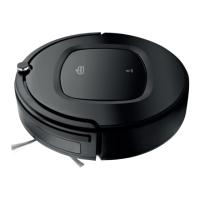
1. When vacuum cleaning without dry cloth
place the vacuum cleaner on the oor, set
the power switch in the ON position, press
the button or button ON/OFF on the
remote control to start it. Press the button
or ON/OFF again to pause the vacuum
cleaner. When vacuum cleaning with
dry cloth set the power switch in the ON
position, press the button or button
ON/OFF on the remote control to start
it and put the cloth fastener (including
cloth) on the base of the vacuum cleaner.
Put the vacuum cleaner on the oor and
press the button or ON/OFF on the
remote control to start. Press the button
or ON/OFF again to pause.
2. Press ON/OFF on the remote control or
the button
on the vacuum cleaner
for three seconds. It switches to standby
mode. Press and hold the button to
activate the vacuum cleaner. Activate
with the remote control by pressing ON/
OFF on the remote control during the rst
15 minutes after the vacuum cleaner has
switched to standby mode.
NOTE:
• Check before vacuum cleaning that the
dust container has been tted.
• If no action is taken within one minute
the vacuum cleaner will automatically
switch to standby mode. After 15
minutes it will switch o automatically
to prevent overcharging the battery,
which can reduce its life span. Switch o
the vacuum cleaner if it is not going to
be used for some time.
SELECTION OF VACUUM CLEANING
MODE
Automatic vacuum cleaning
The vacuum cleaner automatically vacuum
cleans the room during automatic vacuum
cleaning and adjusts to the circumstances.
Press
on the remote control to start
automatic vacuum cleaning.
FIG. 10
Spot vacuum cleaning
Press on the remote control to start spot
vacuum cleaning.
FIG. 11
Random vacuum cleaning
Press on the remote control to start
random vacuum cleaning.
FIG. 12
Edge vacuum cleaning
Press on the remote control to start edge
vacuum cleaning. The vacuum cleaner cleans
the edges of the obstruction with the brush.
FIG. 13


 To Next Page