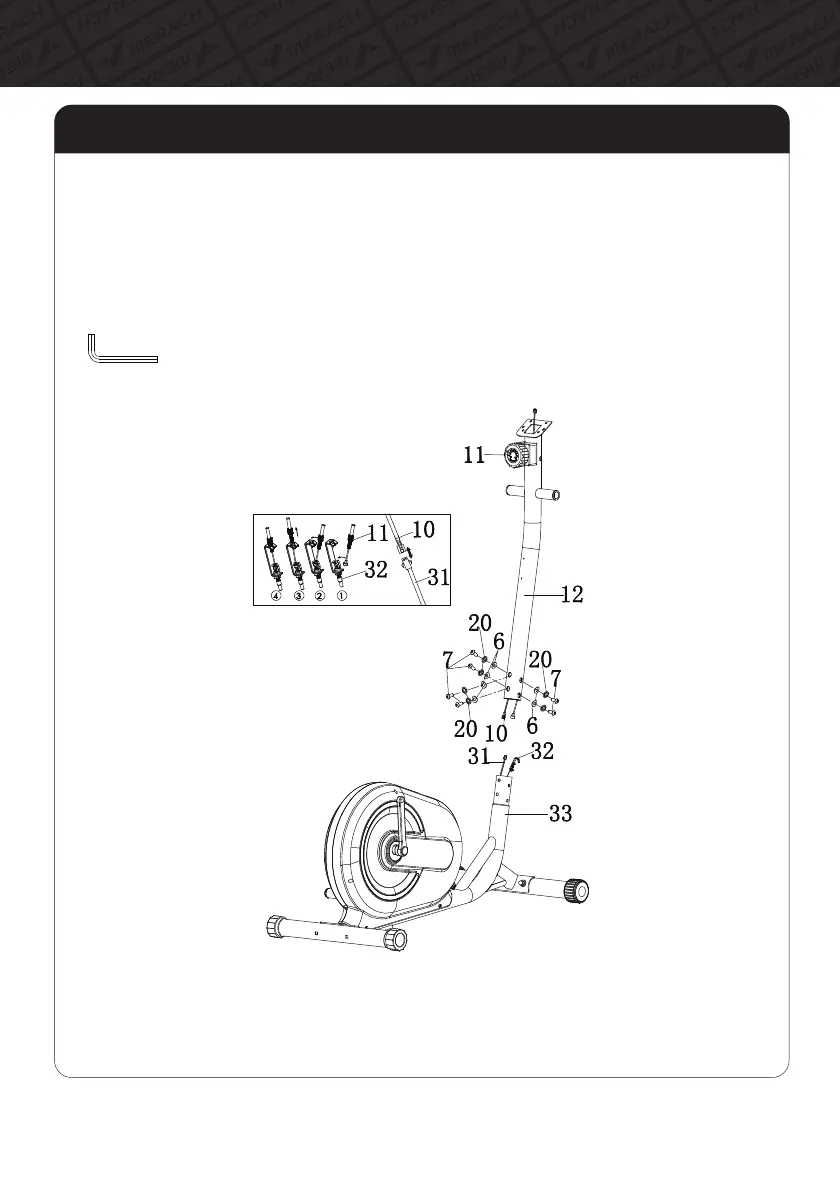
A. Connect the Trunk link(#10) of Monitor to the Induction Wire(#31), and then join the Resistance
Knob(#11) and Wire(#32) as shown in figure.
B. Install the Handlebar Post(#12) into the Main Frame(33), align the hole of bolts.
C. Use the Hexagon Socket Pan Head Bolt(#7), Spring Washer(#20) and Flat Washer(#6) to
tighten the Handlebar Post(#12) on the Main Frame(#33) by Allen Key(#B).
Step 2: Fix the Handlebar Post
07
Assembly Instructions



 To Next Page