6. WAN light will turn green when Internet connection detected.
7. WAN light will start flashing orange after 5 minutes, if a WAN
link is found, but there is no proper Internet connection.
8. LAN lights will turn green if any device is connected on the
LAN side or they will be off otherwise.
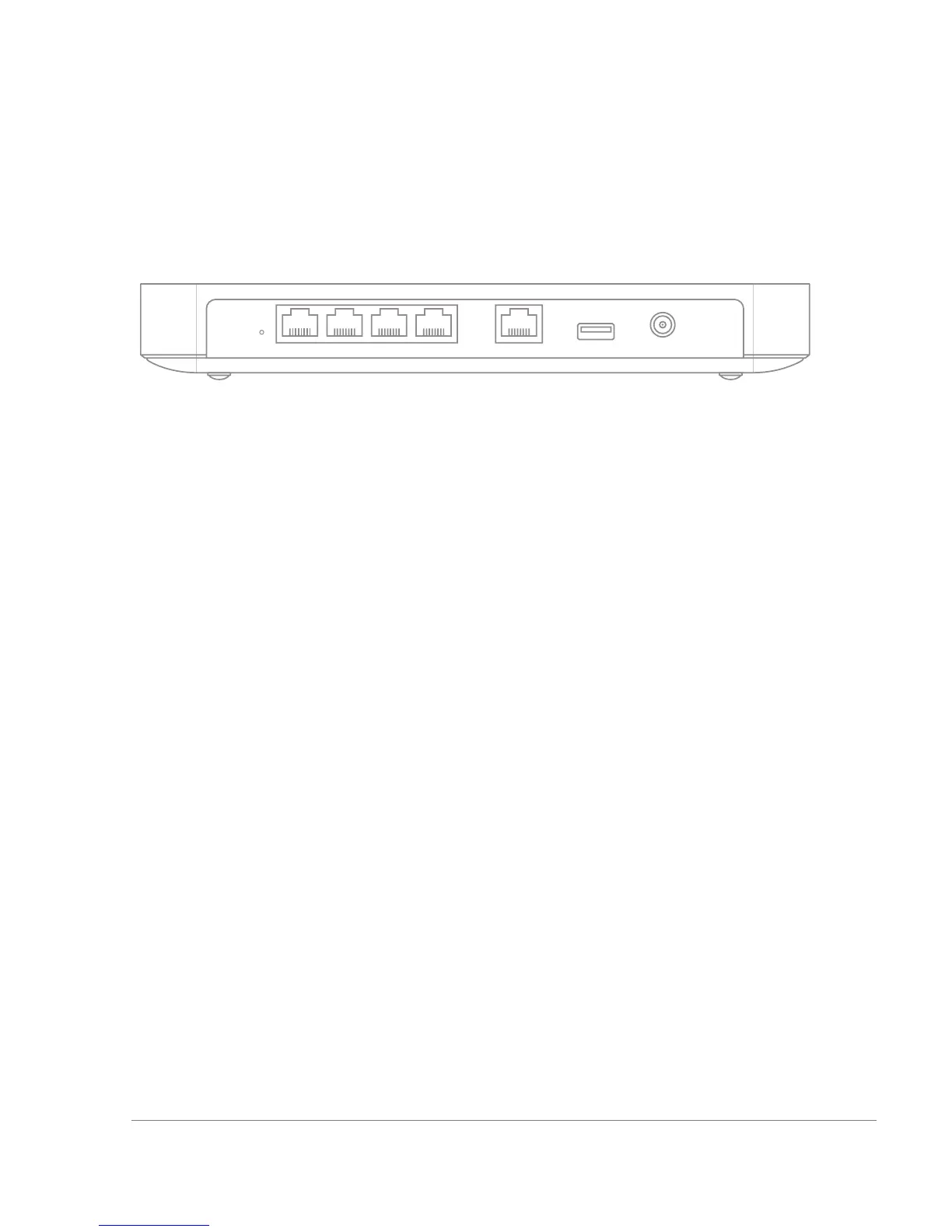
1.3 The MX60 Back Panel
1.3.1 Internet Port
The MX60 supports only one Internet / WAN connection.
1.3.2 LAN Ports
The MX60 has four LAN ports, called LAN 1, LAN 2, LAN 3, and LAN 4.
These ports can be connected to devices like computers, printers,
access points, or Ethernet switches.
1.3.3 USB Port
The MX60 has one USB 2.0 port. This port is reserved for future use.
1.3.4 Reset Button
A short press of 1s to 10s will force the device to delete its configuration
downloaded from the Dashboard and reboot. This will not remove the
locally configured WAN IP settings. A long press of > 10s will force the
unit into a full factory reset


 To Next Page