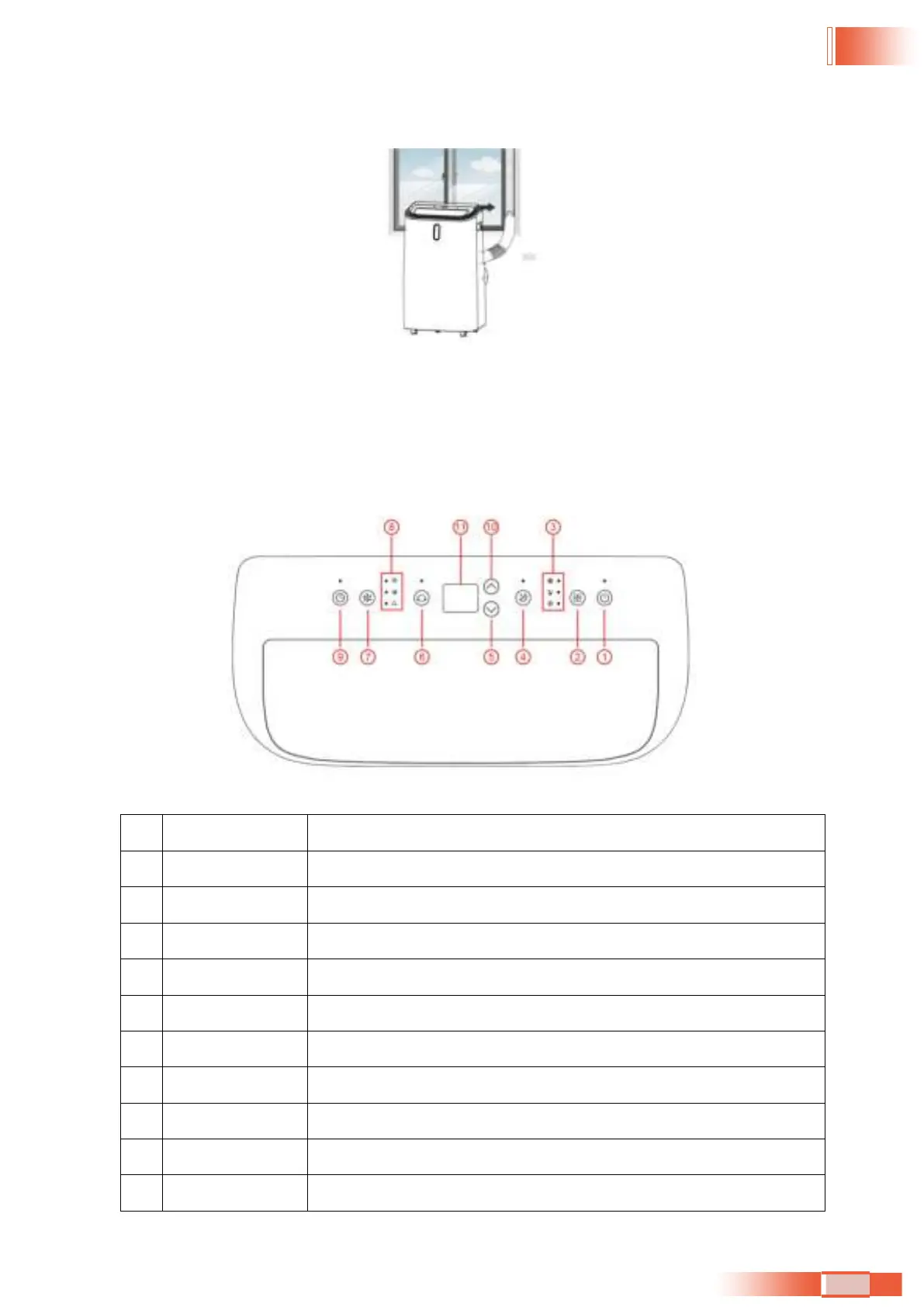
Step 6: Adjusng the length of the flexible exhaust hose, and avoid bends in the hose. Then place
AC near an electrical outlet.
Step 7: Adjust the louver at the air outlet, and then switch on the unit
5. OPERATION
5.1 CONTROL PANEL AND DISPLAY
5.2 FUNCTION KEYS AND INDICATORS
1.
POWER Press to switch the machine on or off.
2.
MODE Press to switch the operaon mode between cool, dry and fan.
3.
MODE Indicator This displays the Mode Seng between cool, dry and fan.
4.
SLEEP Press to turn sleep mode on or off.
5.
DOWN Decreasing the desired temperature or mer seng.
6.
SWING Adjust the air flow direcon vercally.
7.
SPEED Press to switch the fan speed in High, Middle and Low.
8.
Indicators LED for high speed & middle speed & low speed and Wi-Fi.
9.
TIMER Sets a me for the unit to automacally start or stop.
10.
UP Increasing the desired temperature (16°C - 32°C) or mer seng.
11.
Digital Display Displays mer seng and temperature.
33


 To Next Page