Setting the time and date
When?
1 . With a new instrument.
2 . With the change of summer/winter time.
3 . Check after replacement of batteries.
How?
1 . Switch off instrument.
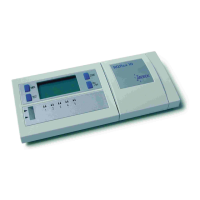
2 . Press the MEM button and simultaneously press the ON/OFF key.
The time and date display blinks after 2 seconds.
3 . To select the international or American date press the START button.
4 . Press the TEST button to access hour, minute, day, and month.
5 . Press the START button to adjust the time (hour, minute) and the date
( d a y, month).
6 . The clock is then activated by pressing the MEM or ON/OFF key.
|
1 1
12:55
12:07
S T A R TM E M
O N / O F FT E S T
PM 12:55
07:12
S T A R TM E M
O N / O F FT E S T
12:55
12:07
S T A R TM E M
O N / O F FT E S T
13:55
12:07
S T A R TM E M
O N / O F FT E S T
2
3
4
5


 To Next Page
 Loading...