31
Chapter 6 Manage the Extender
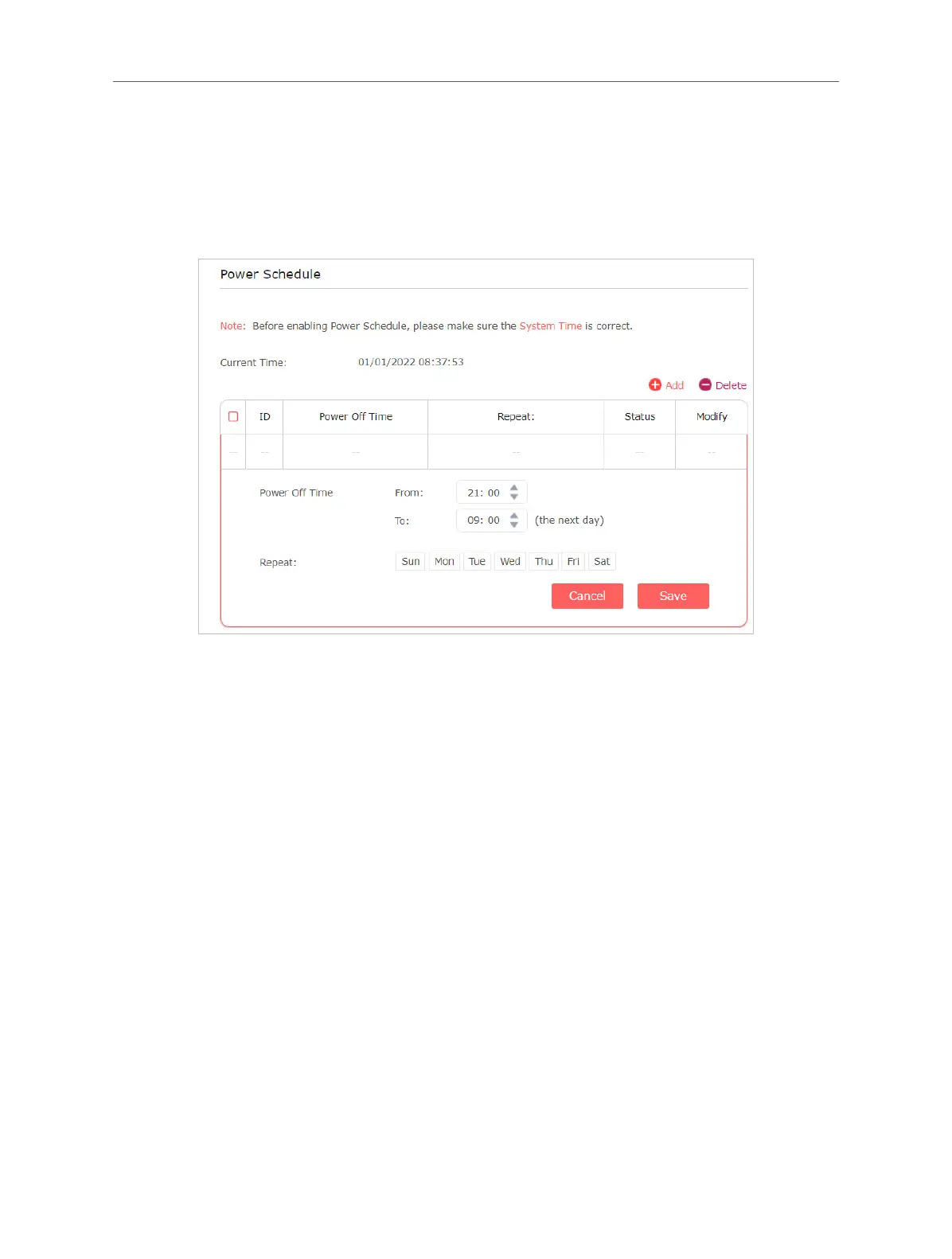
1. Click Add.
2. Specify the power o time period and repeat days.
Note:
The eective power o time is based on the time of the extender. You can go to Settings > System Tools >
Time Settings to modify the time.
3. Save the settings.
6.4 Upgrade the Firmware
You can download the latest firmware file from the Support page at our website
www.mercusys.com and upgrade the extender to the latest rmware version.
Note:
• Make sure the latest rmware le is matched with the hardware version.
• Make sure that you have a stable connection between the extender and your computer. It is NOT
recommended to upgrade the rmware wirelessly.
• We strongly recommend you back up the current conguration settings before rmware upgrade.
• Do NOT power o the extender during the rmware upgrade.
1. Visit http://mwlogin.net, and log in with the password you set for the extender.
2. Go to Settings > System Tools > Firmware Upgrade.
3. Choose a way to upgrade your rmware.
• Online Update
Click Check for upgrade to see whether new rmware is released. If there is new
rmware, click Upgrade
• Local Update



 To Next Page