ISIS User Guide : Chapter 3 - Power up and Initial Configuration
Page 11
Chapter 3 - Power up and Initial Configuration
Power up sequence
• Plug the ISIS Remote Controller power adaptor into a suitable socket and switch on the mains.
• Switch on the ISIS Remote Controller with the rear panel POWER switch. The MERGING logo will light up
blue and the LCD screen will show the following display.
• Power on the host PC and start Pyramix
Initial Configuration
• Load a simple Project (or create a new one)
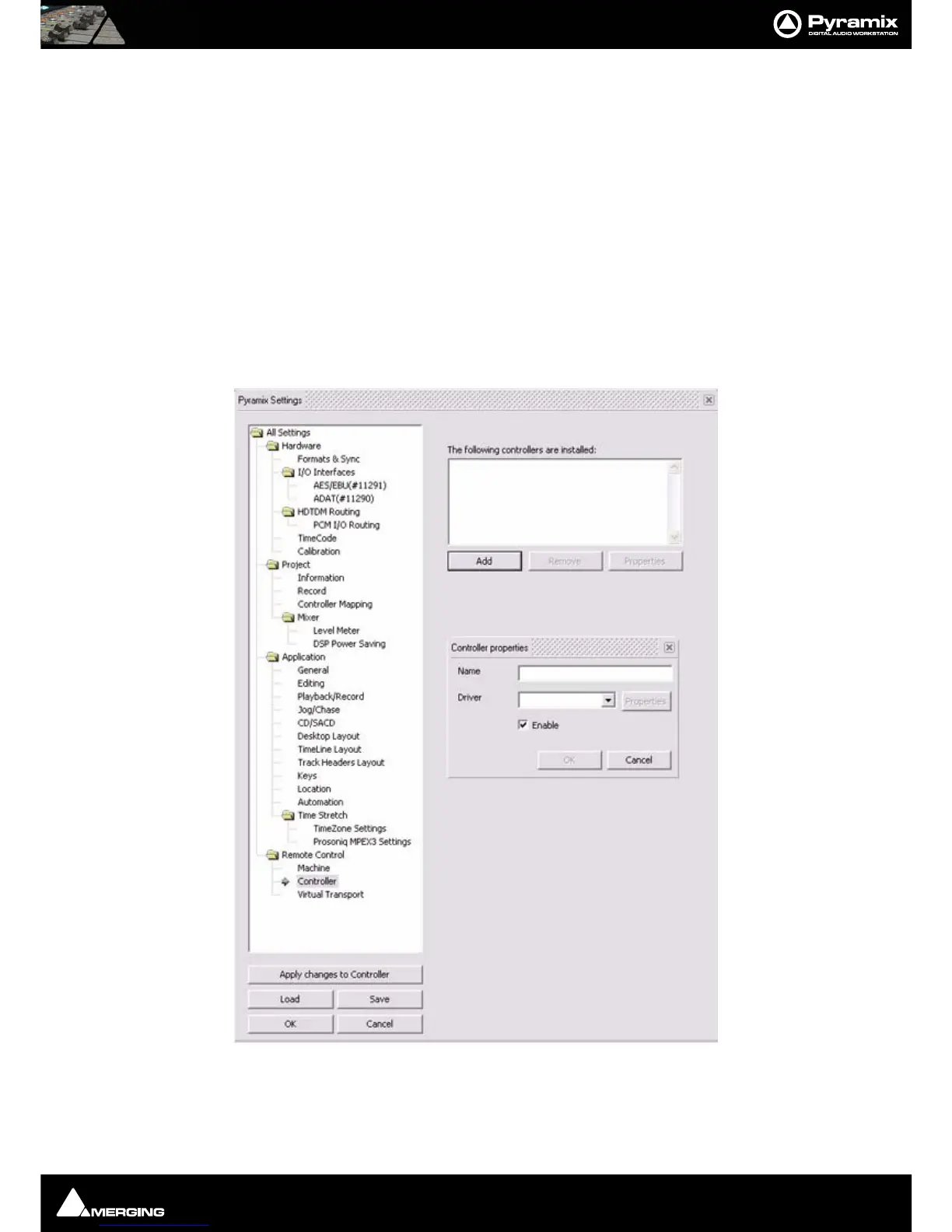
• Go to Settings > All Settings and click on Controller in the Remote Control folder to open the Controllers
pane.
• Click on the Add button to open the Controller Properties dialog
• Type a suitable name for the ISIS Remote Controller. E.g. ISIS
• Choose ISIS Remote from the Driver drop-down list.



 To Next Page