ISIS User Guide : Chapter 10 - Crossfade Editing with ISIS
Page 32
Crossfade Parameters
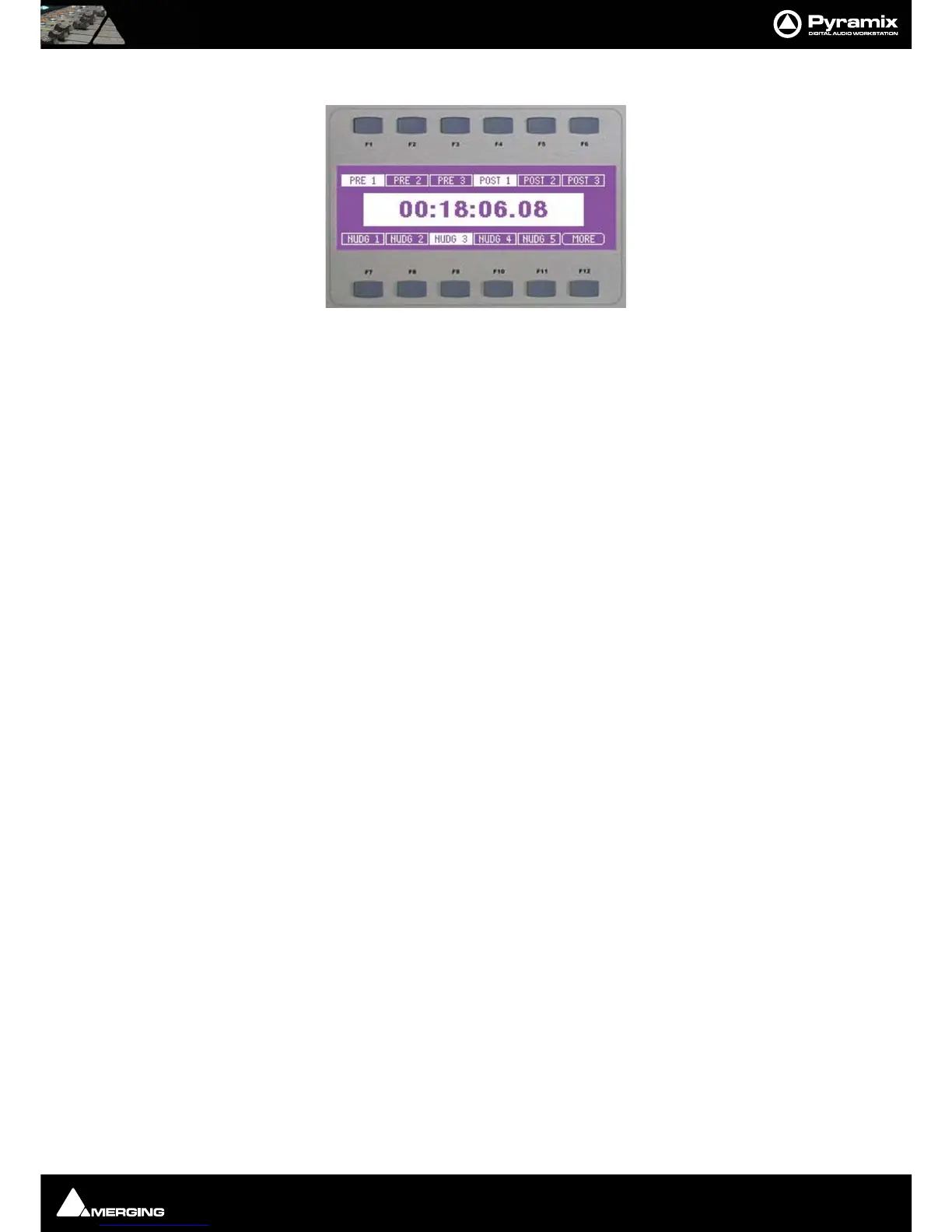
The second page is for choosing parameters:
F1-F3 Select the audition Pre-roll preset values (1 to 3)(as in the Fade Editor)
F4-F6 Select the audition Post-roll preset values (1 to 3) (as in the Fade Editor)
F7-F11 Select the Nudge preset value. (1 to 5)
F12 MORE
Note: Note: Pre and Post Roll Settings are made in All Settings > Application > Play-
back/Record in the Pre/Post Roll Settings section.
Nudge value settings are made in All Settings > Application > Editing in the Nudge
settings section.
Operation
With these tools, you can both jog-wheel and nudge-edit the cross-fades in the same context:
Select the operation (Trim, Fade) with the left hand on the LCD page and adjust the value with the right hand
using either the jog-wheel or the nudge arrows.
Note: Note: When going from nudge to jog-wheel, you need to re-select the wheel
mode (jog or shuttle) manually.
When you are happy with the current cross-fade NEXT accepts the changes you've made and takes you straight to
the next cross-fade, open and ready for adjustment. Using these tools it is possible to edit, for example dialogue,
very rapidly.



 To Next Page