Setting up the multimedia controller
23
Connecting sources
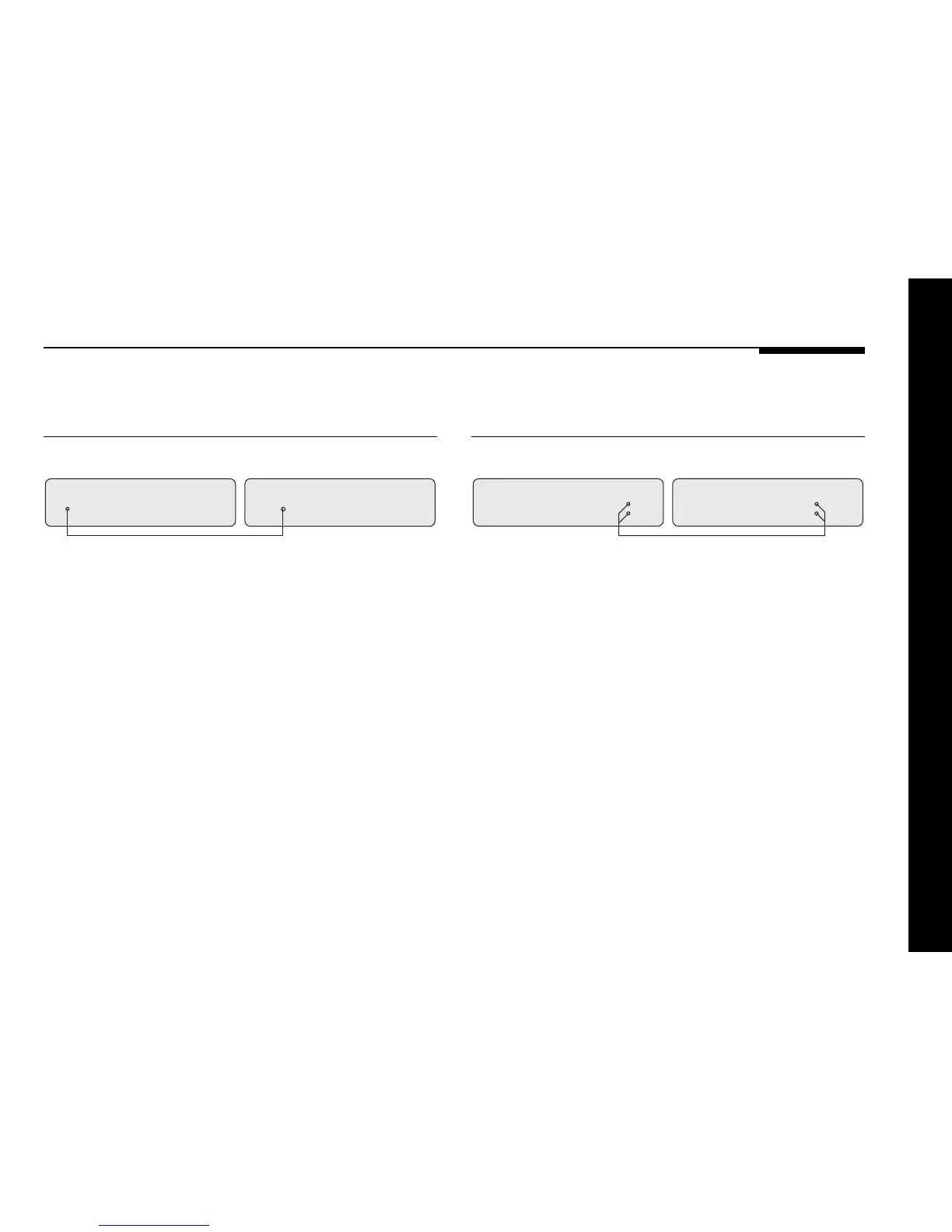
To connect to a digital source
(eg Meridian 508.24 24-Bit CD Player)
508.24 24-Bit CD Player
Digital lead
DIGITAL INPUT
CD/D1
562V Multimedia Controller
DIGITAL
OUTPUT
You can connect up to five digital and two optical sources to the
562V Multimedia Controller.
● Connect the digital source to one of the digital input sockets
of the 562V, using a high-quality digital or optical lead.
● Connect the 508.24 to the 562V using the comms lead
provided; see To connect to other Meridian 500 Series
equipment, page 25.
To connect to an analogue source
(eg Meridian 504 FM Tuner)
ANALOGUE INPUT
RADIO/A3
504 FM Tuner
OUTPUT
562V Multimedia Controller
Audio lead
You can connect up to seven analogue sources to the 562V
Multimedia Controller.
● Connect the analogue source to one of the analogue input
sockets of the 562V, using a standard phono lead.
● Connect the 504 to the 562V using the comms lead provided;
see To connect to other Meridian 500 Series equipment,
page 25.


 To Next Page