Merlin Power Systems version: 2.0.2
SmartGauge Installation and User Guide
Page 22
Circumstances such as change of battery technology, or the need to override a menu lock, require
that the SmartGauge is returned to its Factory Default state. To return the monitor to its default
settings:
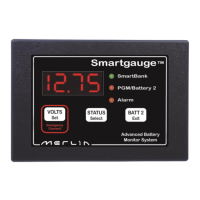
1. Disconnect the power feed to SmartGauge (pull the fuses in each feed wire out).
2. Press both the VOLTS and STATUS buttons and keep them pressed.
3. Reapply power, still keeping the buttons pressed.
4. SmartGauge will display the software revision as usual. Keep the buttons pressed.
5. SmartGauge will display the battery model revision as usual. Keep the buttons pressed.
6. The display will go blank.
7. Remove your fingers from the buttons.
8. SmartGauge will flash “Fr” (Factory reset).
9. SmartGauge will completely reset its internals to the factory defaults.
SmartGauge will now operate exactly like a new unit on first power up beginning by displaying the
software revision.
NOTE – If the set-up menu lock had been set prior to this, then attempting to perform a “reset to
factory defaults” will not do so on the first attempt. It will simply disable the menu lock. A second
attempt will perform the reset to factory defaults.
The alarm output consists of 3 terminals labelled COM (Common), NC (Normally Closed) and NO
(Normally Open). COM is connected internally via a relay to the NC terminal and disconnected from
the NO terminal. When an alarm is activated the COM terminal is internally connected to the NO
terminal and disconnected from the NC terminal. At no time are NC and NO terminals connected
together (break before make).
These three terminals are totally isolated from the rest of SmartGauge which means you can use
them for more or less anything within the following constraints:
1. The maximum voltage between any of the three terminals and/or the DC system to which
SmartGauge is connected is 48 volts.
2. The maximum permissible current to be carried by the alarm terminals is 500mA (0.5 amps).
Exceeding either or both of these limits may damage SmartGauge and will invalidate the warranty.
If necessary, use the alarm output to operate an external relay with the required specifications.
Full details of operation of SmartGauge in conjunction with the Merlin SmartBank split charge
system are contained in the owner’s manual supplied with the Merlin SmartBank Advanced.
Alternatively, further information can be found on the Merlin website at:
www.merlinequipment.com


 To Next Page