Need help?
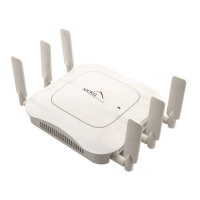
Do you have a question about the Meru Networks AP1020i and is the answer not in the manual?
Details the internal-antenna AP1000 models (AP1010i, AP1020i) and their key features.
Covers essential safety instructions and best practices for mixed network deployments.
Guides on unboxing the AP1000, its power requirements, and necessary additional equipment.
Provides guidelines for choosing an optimal location for AP1000 placement.
Step-by-step instructions for mounting the AP1000 below a suspended ceiling.
Instructions for attaching the AP1000 directly to a wall or using a locking kit.
Details on placing the AP1000 on a shelf or mounting above a non-plenum ceiling.
Explains how to reset the AP1000 to factory defaults using a paper clip.
Details the meaning of the Status and LAN LEDs on the AP1000.
Instructions on changing LED display modes via the controller interface.
Guidance on initializing the hardware and checking WLAN operational status.
Presents FCC and IC regulations, including RF exposure and operational restrictions.
 General
| Brand | Meru Networks |
|---|---|
| Model | AP1020i |
| Category | Wireless Access Point |
| Language | English |


 To Next Page