4
OPERATION
Table 1 Installation (continued)
Installing
(continued)
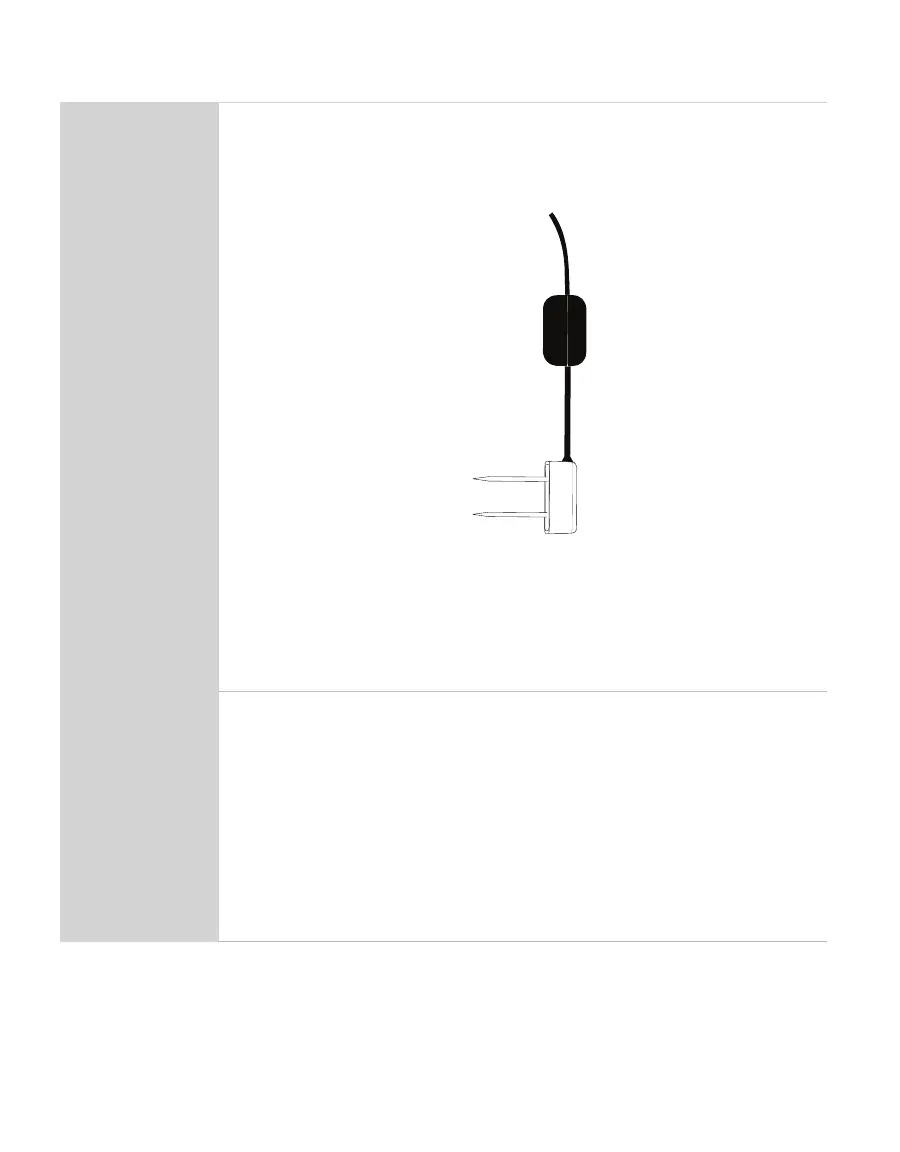
TEROS10 may be positioned in any direction (needles aligned horizontally
or vertically). However, installing the sensors with the needles in a horizontal
position (as shown below) will provide the least restriction to water ow
through soil because the water will ow through the soil directly to the
needles.
Sensor body vertical and needles horizontal
Because of the shape of the sensor electromagnetic eld, installing the
sensor with the body oriented vertically will integrate more soil depth into
the soil moisture measurement. Installing the sensor with the body oriented
horizontally (on its side) will provide measurements at a more discreet depth.
See Measurement volume of METER volumetric water content sensors for
more information on sensor measurement volume.
Connecting
Select Location for Data Logger and Cable
Connect to Data Logger
Plug the sensor into the data logger.
Use the data logger to make sure the sensor is reading properly.
Verify that these readings are within expected ranges.
Secure and Protect Cables
NOTE: Improperly protected cables can lead to severed cables or disconnected sensors.
Cabling issues can be caused by many factors such as rodent damage, driving over sensor
cables, tripping over cables, not leaving enough cable slack during installation, or poor
sensor wiring connections.


 To Next Page