Operation instructions
Operation
Before putting products in the unit, wait until it has reached the temperature set with the
thermostat.
Correct cold storage of foodstuffs facilitates kitchen activities and affects energy consumption.
Please observe the following points when using the appliance:
• Do not load products until the appliance has reached the correct operating temperature.
• Always keep the products in good order.
• Do not unnecessarily keep the cupboard door or drawer open.
• Do not store spoiled food in the unit.
• Dry moisture off the shelves and interior walls when needed.
• Watch the internal temperature of the unit daily.
• Always preserve the products in dishes fi tted with lids or cover them with a plastic foil. This helps to
keep the evaporator free of ice.
When placing products into the cupboard, suffi cient air circulation should be ensured. Make use of the
height adjustment of shelves when necessary. Do not place products in touch with walls. Loading prod-
ucts on the bottom plate is forbidden.
The appliance is equipped with automatic defrost, which means that the user does not
need to take care about defrosting.
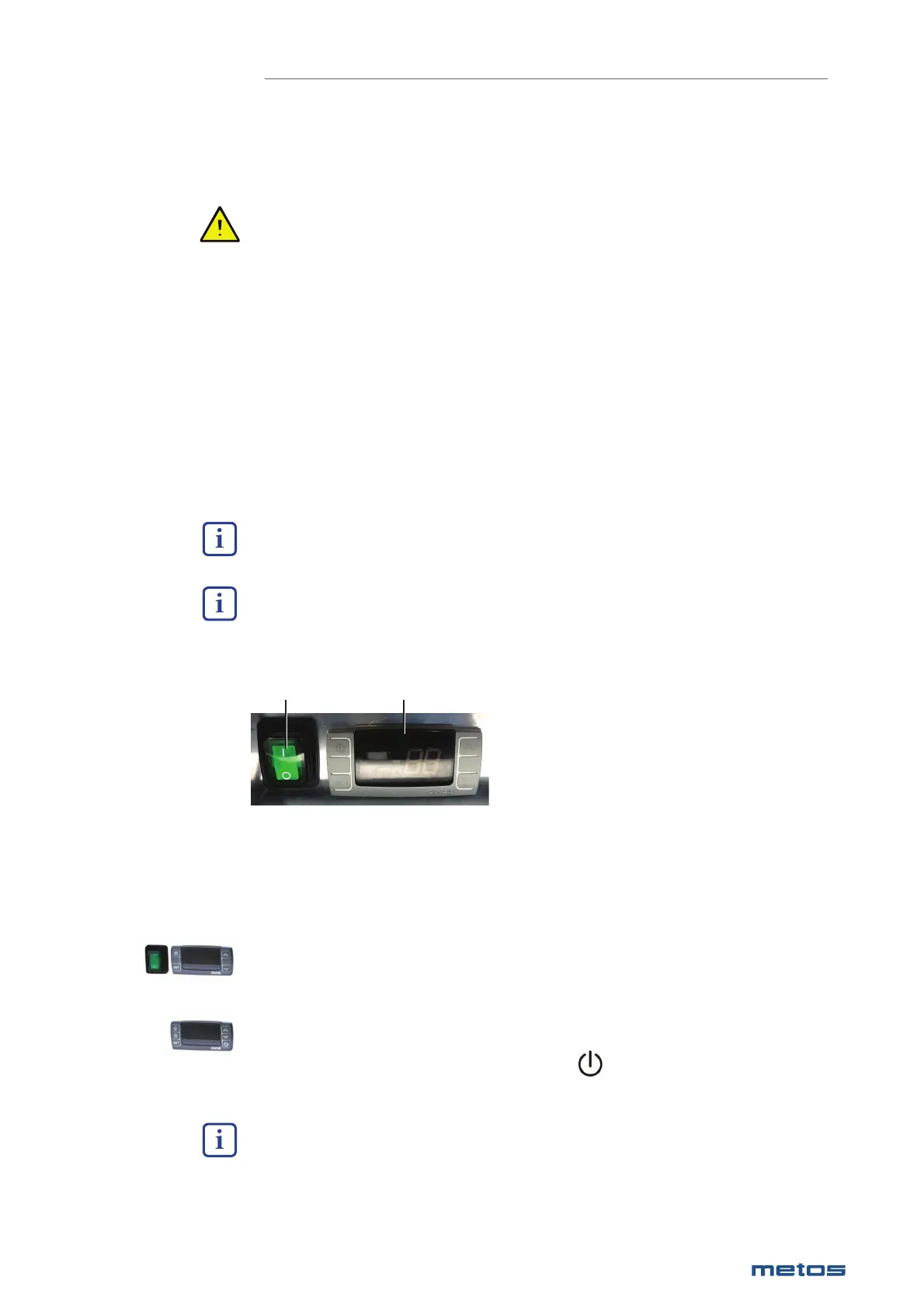
Operating switches
1. Main switch
2. Thermostat
12
Start-up
If the appliance is equipped with a main switch:
Turn on the appliance with the switch, the thermostat display will then show the inside temperature of
the appliance.
If the appliance is not equipped with a main switch:
Turn on the appliance by pressing the thermostat button , the thermostat display will then show
the appliance’s internal temperature. When the unit is in standby mode, “OFF” appears on the display..
The compressor starts with a delay of about 1 minute.
|
21
28.1.2020 Rev. 9.0
METOS PROFF / CLASSIC


 To Next Page