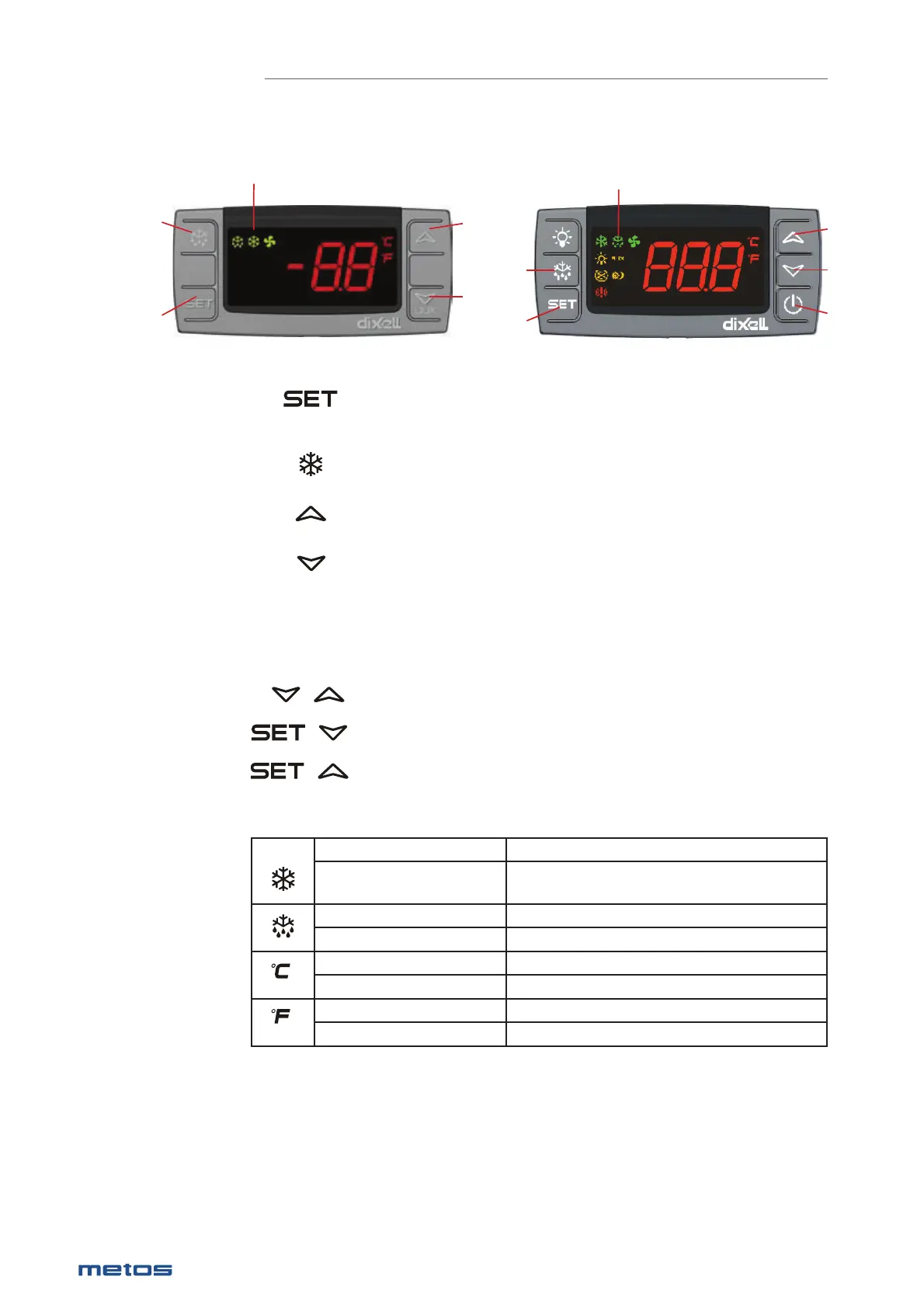
Key combinations
To lock or unlock the keyboard
To enter in programming mode
To return to room temperature display
Symbols - Signifi cations
On Compressor enabled
Flashing Anti short cycle delay enabled
(AC parameter)
On Defrost in progress
Flashing Dripping in progress
On Measurement unit
Flashing Programming mode
On Measurement unit
Flashing Programming mode
Thermostat
1.
2.
3.
4.
+
+
+
To display target set point, in programming mode it selects a
parameter or comfi rm an operation.
To start a manual defrost
In programming mode it browses the parameter codes or
increases the display value.
In programming mode it browses the parameter codes or
decreases the display value..
2.
1.
3.
4.
Symbols
2.
1.
Symbols
22
|
28.1.2020 Rev. 9.0
METOS PROFF / CLASSIC


 To Next Page