EasyManua.ls Logo

Metra Electronics 99-5719 - User Manual

Default Icon
6 pages
Print Icon
To Next Page IconTo Next Page
Loading...
METRA. THE WORLD’S BEST KITS.™
© COPYRIGHT 2004-2010 METRA ELECTRONICS CORPORATION
APPLICATIONS
KIT FEATURES
KIT COMPONENTS
TOOLS REQUIRED
1-800-221-0932 metraonline.com
METRA. THE WORLD’S BEST KITS.™
© COPYRIGHT 2004-2010 METRA ELECTRONICS CORPORATION
REV. 1/20/2010
1-800-221-0932 metraonline.com
INSTALLATION INSTRUCTIONS FOR PART 99-5719INSTALLATION INSTRUCTIONS FOR PART 99-5719
FORD TAURUS
2004 - 2007
99-5719
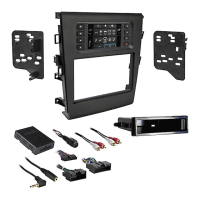
• ISO & DIN Head Unit Provision w/ Pocket
• DDIN Head unit provisions
• Integrated auto climate controls and display
• Integrated passenger airbag light
• Painted Scratch Resistant Matte Black
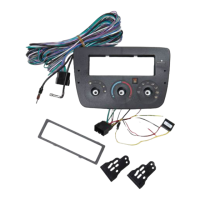
• A) Radio Housing • B) ISO Brackets • C) ISO Trim Plate • D) Pocket
• E) DDIN Brackets • F) DDIN Trim Plate • G) In-Car Temp Sensor Housing • H) Harness Extension
• Radio Removal Tool (Metra Part #86-5618) • Phillips Screwdriver
• Panel Removal Tool • Socket Set • Cutting Tool or File • T10 Torx Screwdirver
C
D
E
F
G
H
B
A
Question and Answer IconNeed help?

Do you have a question about the Metra Electronics 99-5719 and is the answer not in the manual?

Summary

Product Overview and Kit Contents

Kit Features

Lists the key features of the 99-5719 installation kit for Ford Taurus.

Kit Components

Details all parts included in the 99-5719 installation kit.

Tools Required for Installation

Lists the necessary tools for performing the installation of the 99-5719 kit.

Dash Disassembly for Ford Taurus

Disconnect Battery and Remove Panel

Steps to disconnect the battery and remove the factory radio/climate control panel.

Remove Factory Mounting Clips

Instructions for removing factory clips and attaching them to the new kit.

Kit Preparation and Audio Wiring

In-Car Temperature Sensor Installation

How to install the In-Car temp sensor housing and mount the assembly.

Audio Wiring Connections

Guides through connecting factory harnesses and aftermarket radio wiring.

Head Unit Installation Provisioning

DDIN;Stacked ISO DIN Head Unit Provision

Instructions for fitting a DDIN or stacked ISO DIN head unit into the housing.

DIN Head Unit Provision

Steps for installing a single DIN head unit using the provided cage and pocket.

Specific Head Unit Mounting Options

ISO DIN Head Unit Mounting

Details on mounting a single ISO DIN head unit with brackets and trim plate.

DDIN;Stacked ISO DIN Head Unit Mounting

Instructions for mounting DDIN or stacked ISO DIN units using brackets.

Metra Electronics 99-5719 Specifications

General IconGeneral
ColorBlack
MaterialPlastic
ISO DDIN radio provisionYes
Painted scratch-resistant matte blackYes
Wiring HarnessNot included
Antenna AdapterNot included
TypeRadio Installation Kit
FunctionAllows for the installation of an aftermarket radio into the factory dash location

Related product manuals