4
99-8211
KIT ASSEMBLY
ISO DIN HEAD UNIT PROVISION
1
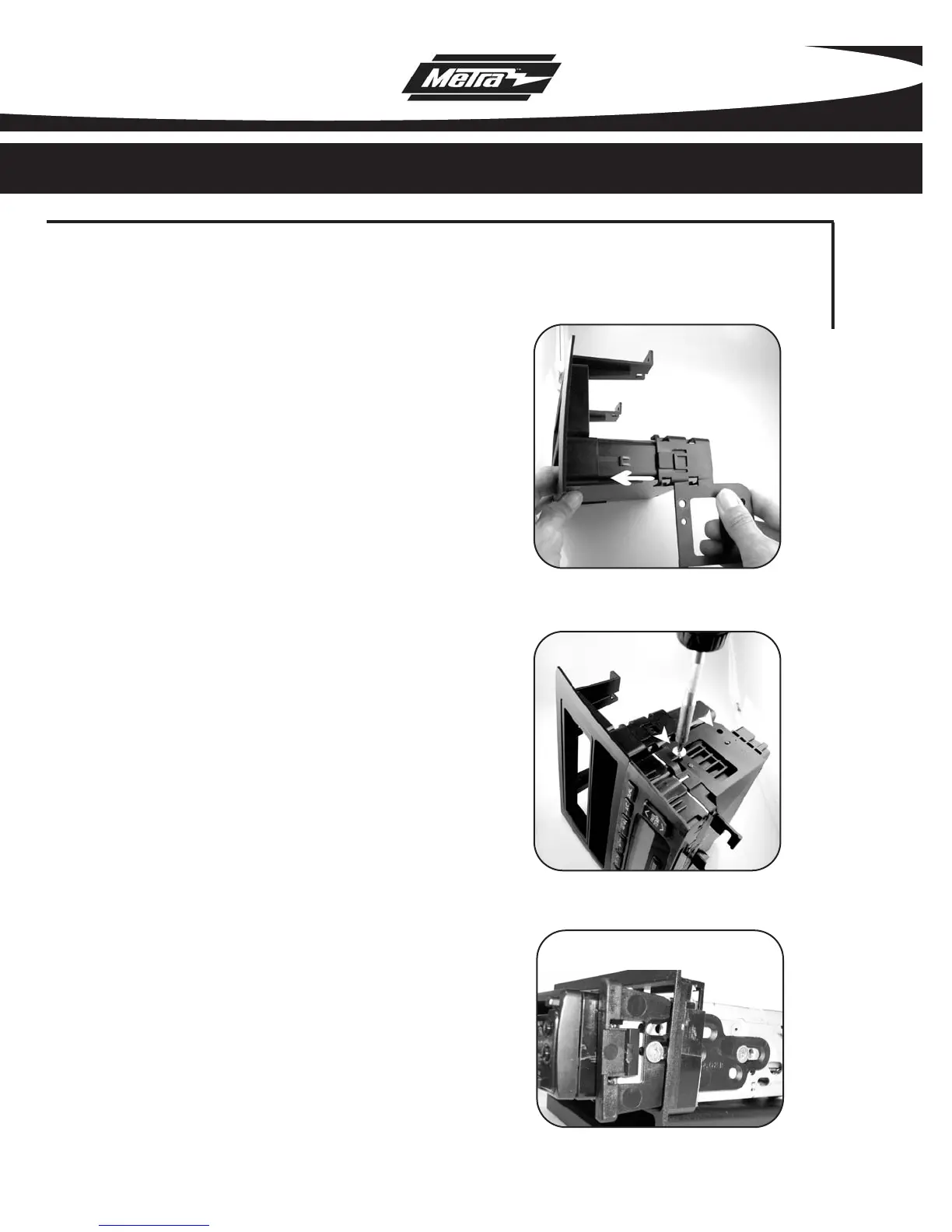
Slide the mounting bracket onto
the 99-8211 until side clips
engage.
(Figure A)
2
Slide factory climate controls
into the 99-8211 and secure
using the factory hardware.
(Figure B)
3
Mount the ISO Brackets to the
head unit with the screws sup-
plied with the unit.
4
Slide the head unit into the radio
opening until the side clips
engage.
(Figure C)
5
Snap the Trim plate into the
Radio Housing.
A
B
C



 To Next Page