BT-HD01
5
Connections to be made
• Remove the 35-pin connector from the radio. This is the larger connector of the (2)
connectors in the radio. If there isn’t a 35-pin connector in the radio, proceed to the
next step.
• Connect the male end of the BT-HD01 harness into the radio.
• Connect the female end of the BT-HD01 harness into the factory connector in the
vehicle. If there wasn’t a 35-pin connector in the radio, skip this step.
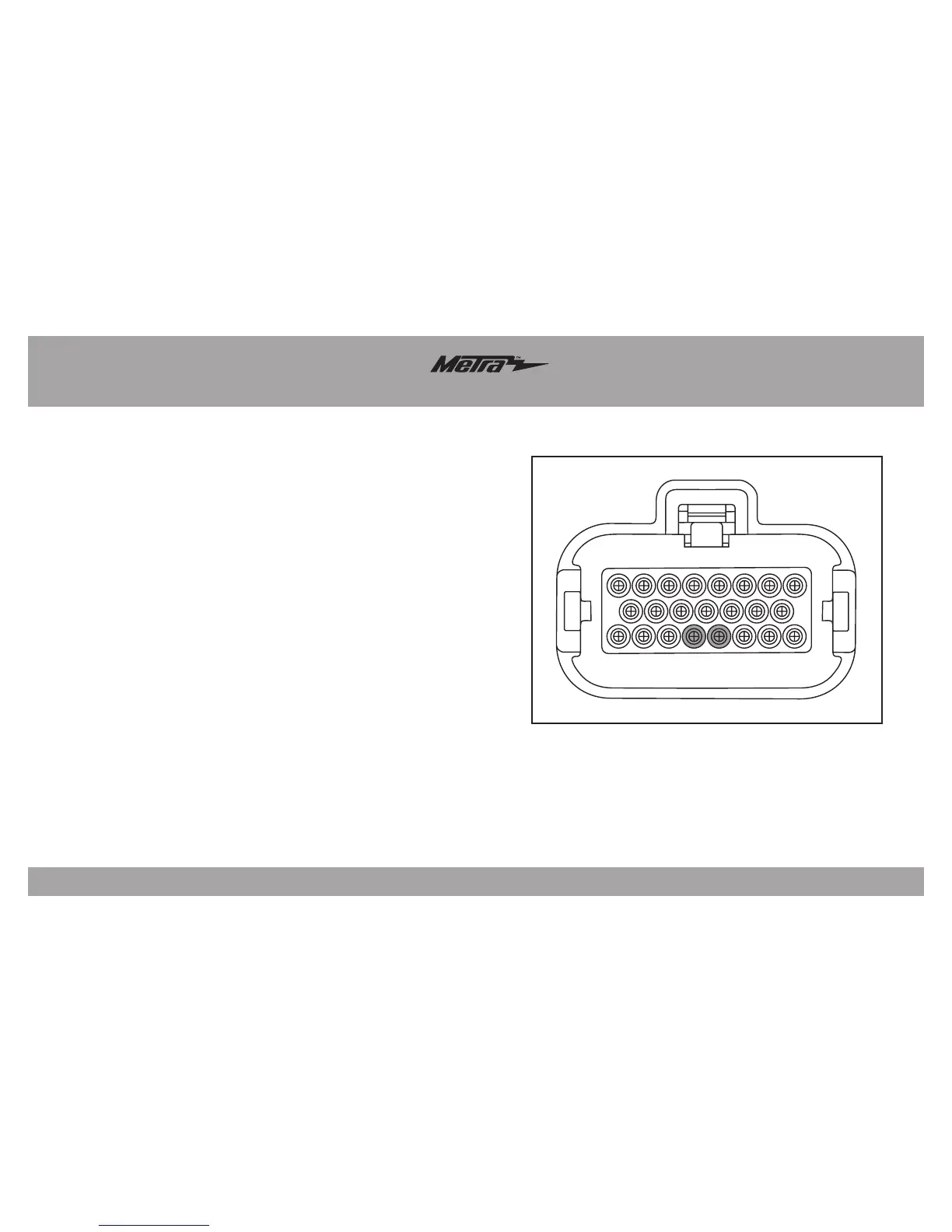
• The following (2) wires connect to the 23-pin radio connector. This is the smaller
connector of the (2) connectors in the radio. The factory connector has the pin cavity
locations stamped onto it.
• Connect the Black wire from the BT-HD01 harness to the wire located in pin-19 of the
23-pin radio connector.
• Connect the Red wire from the BT-HD01 harness to the wire located in pin-20 of the
23-pin radio connector.
Note: The BT-HD01 can operate in two different modes: CD mode (default) or SAT
mode. If you have a factory iPod interface installed and desire to keep it, change the
BT-HD01 to SAT mode. To do this you will need to cut the Grey loop wire coming out of
the BT-HD01, and then switch the 3-pin audio wire connection to the SAT setting.


 To Next Page