161
k
10.2.4 Setting partial light output correction
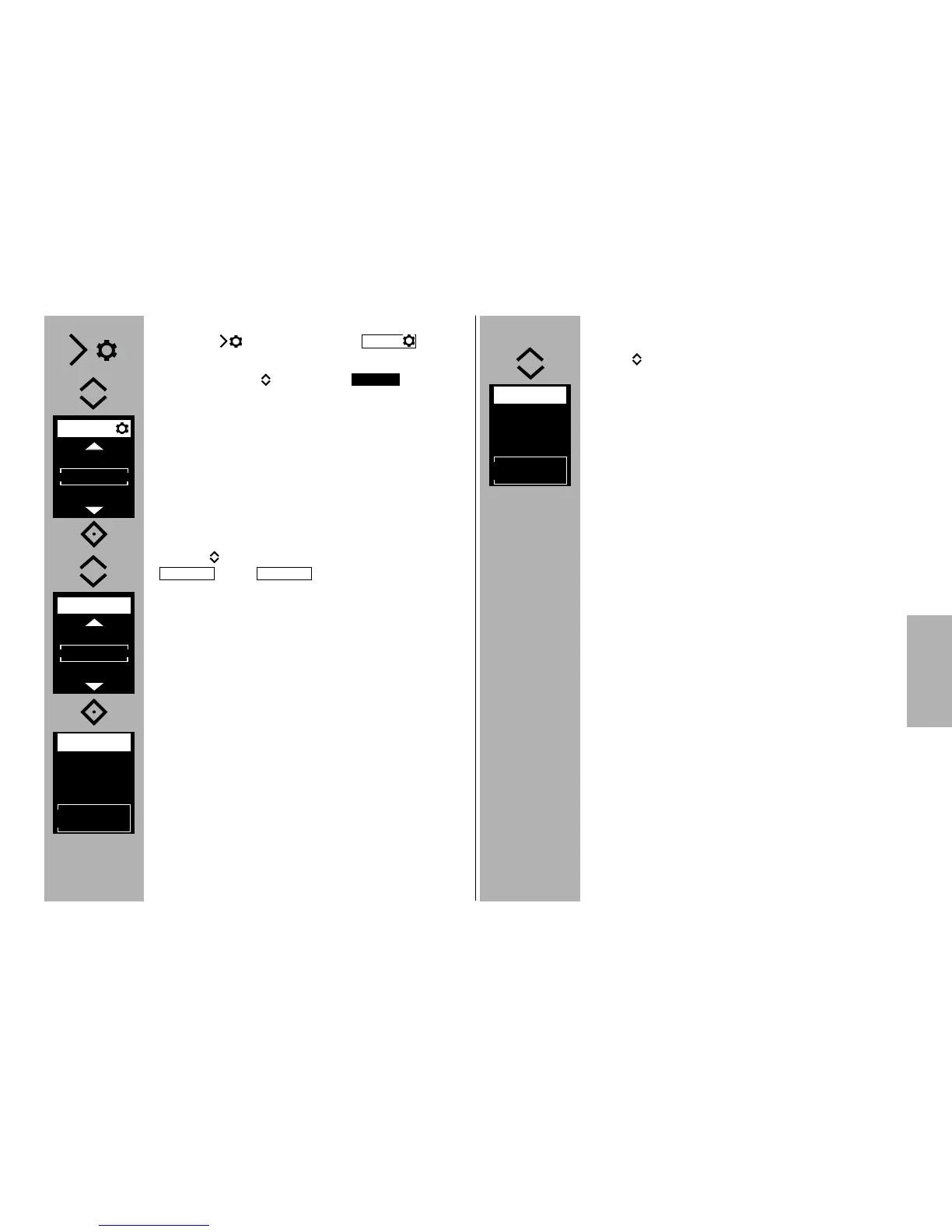
• Press the button and the menu
will appear.
• Use the buttons to select .
• Press the ° button and confirm the selected
operating mode.
• Use the buttons to choose either the
or the operating mode.
• Press the ° button and confirm the selected
setting.
The setting will take effect immediately.
OPT.
MODE
MTTL
10.2.5 Setting partial light output/exposure cor-
rection
• Press buttons repeatedly and set the exposu-
re compensation (EV) or a partial light output (P).
The partial light output/exposure compensation
value is applied.
Once the slave flash units have achieved flash-rea-
diness, the AF measurement flash flashes.
RMT2
CH. 3
EV
+1 1/3
SLAVE
RMT2
CH. 3
EV
SLAVE



 To Next Page