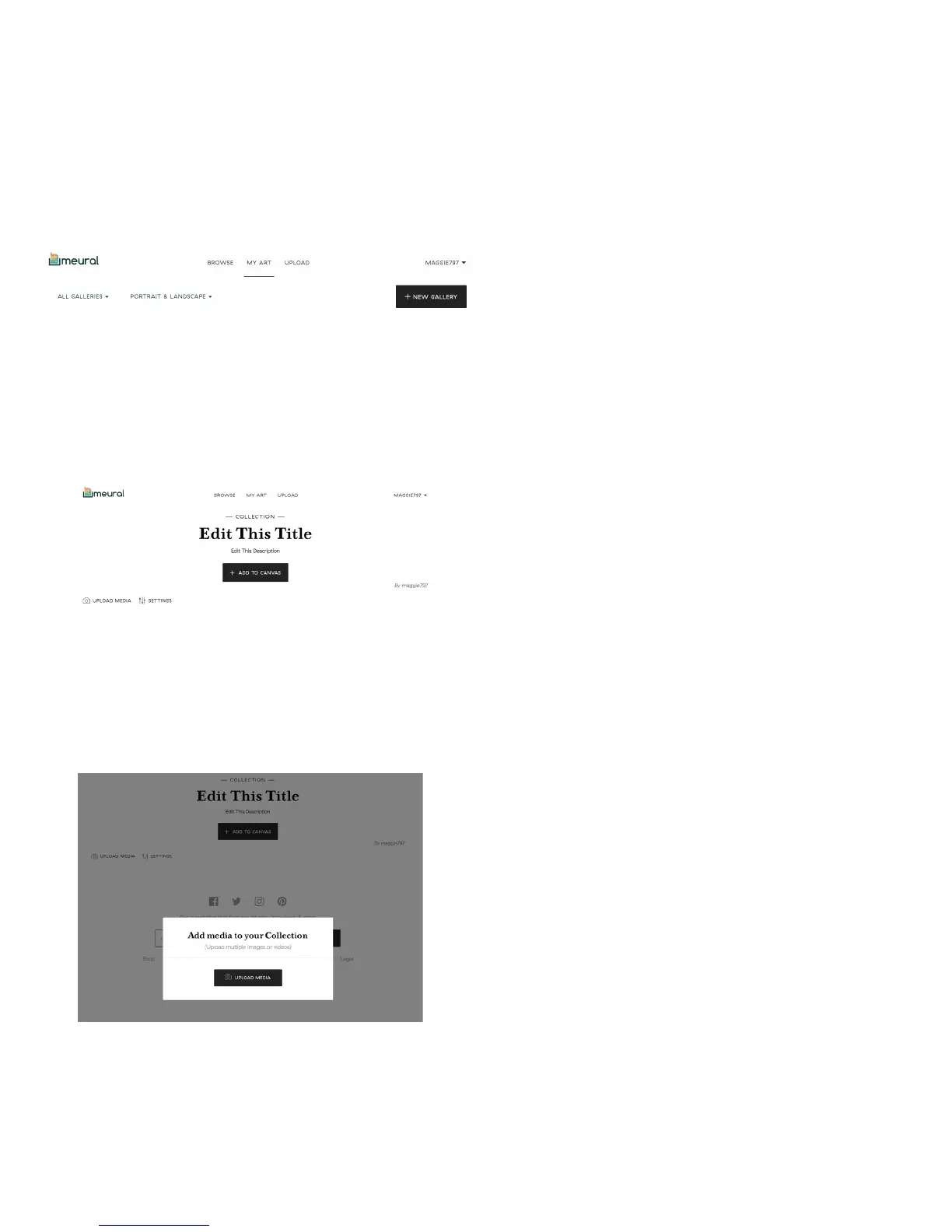
Add your own content by creating a
gallery under “My Art”. Click “New
Gallery” in the top right corner and
simply upload your images.
Add a title and description for your
gallery by clicking on the ‘Edit This Title’
and “Edit This Description” fields. Click
the “Upload Media” button to add your
own images.
From there, simply click “Upload”
and then, once the window pops up,
select “UPLOAD MEDIA” and choose
your image.
Accessing and creating galleries
To download art and photography to your canvas, simply click “Add To Frame”
when viewing the online gallery through the dashboard.
14


 To Next Page