Understanding Gesture Control:
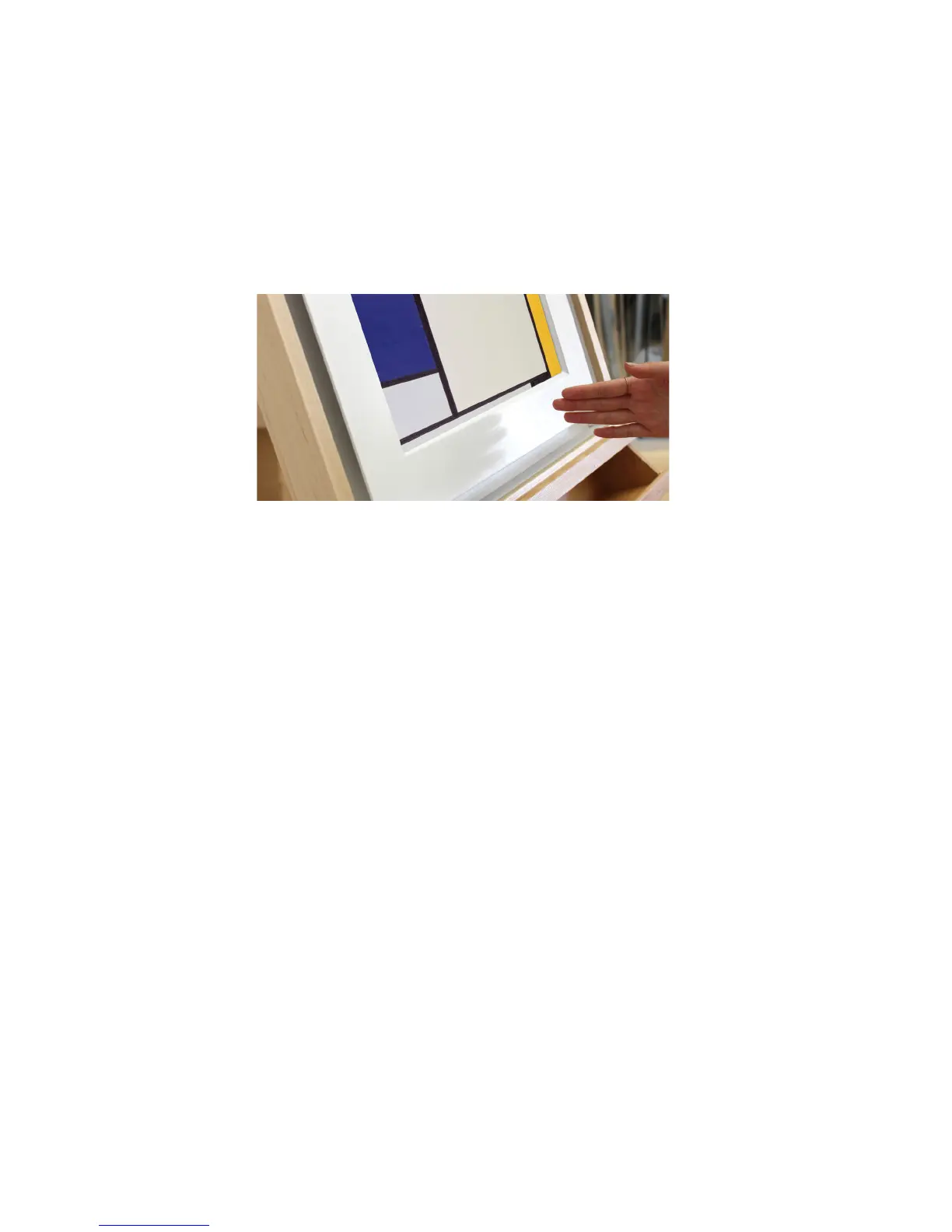
The Meural Canvas comes with a gesture control sensor that is located at bottom center
of the frame (for both portrait and landscape orientations).
By waving your hand about one to two inches in front of the sensor, you can scroll
through galleries, access device settings, and more.
Here’s a quick guide to Meural’s gesture control:
*For optimal gesture recognition, we recommend steadily swiping four or so inches
across the sensor area, at about an inch away from the frame. This will ensure the
frame’s sensor registers swipes with greater accuracy and precision in both orientations.
Additionally, gesture recognition is locked for 0.5 seconds after each gesture to prevent
error swipes, so fast swiping will not work.
*When swiping to a video, that video will automatically play. Any gesture while it is
playing will make it stop.
• Swiping DOWN allows you to access settings like WiFi connectivity, orientation (during
and post-setup), and sleep mode
• Swiping DOWN when browsing settings lets users access respective submenus
• Swipe LEFT or RIGHT to move between pieces of art in a gallery
• Swipe UP to see the artist information
• Swipe UP again to select a new gallery
• Swipe LEFT or RIGHT within the gallery selection and swipe UP to choose your gallery
5


 To Next Page