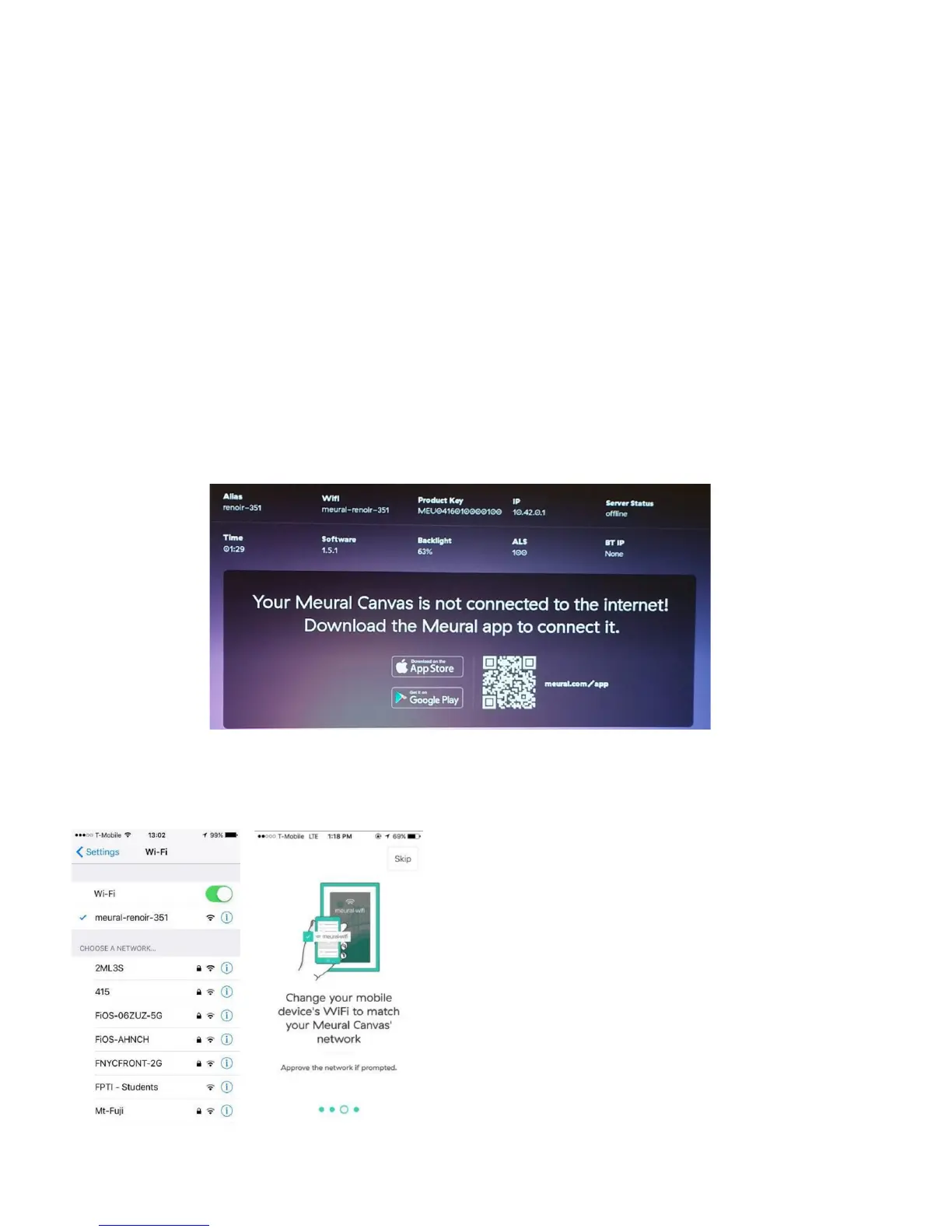
Connecting your Meural Canvas to the Internet
First, download the Meural app on your smartphone (available on Google Play and iTunes
App Store). The Meural app lets you connect the Meural Canvas to WiFi, control all major
features, and choose artwork for your space.
Take note of the Meural local network. The canvas will automatically generate its own
WiFi network. You will need to connect to the canvas’ network on your mobile device
before moving forward.
Note: The network should have the same as your frame (the “Alias”), which begins with
“meural”, and then an artist’s surname, followed by a hyphen (“-“) and then a two or three
digit number (e.g. meural-monet-72 or meural-renoir-351).
Connect to Meural’s local network on
your mobile device.
You can do this by opening up your
device’s WiFi settings, selecting, and
subsequently connecting to the Meural
Canvas’ network option.
8


 To Next Page