MFJ-1278B MULTI-MODE RADIO INTERFACING
FSK CONNECTION
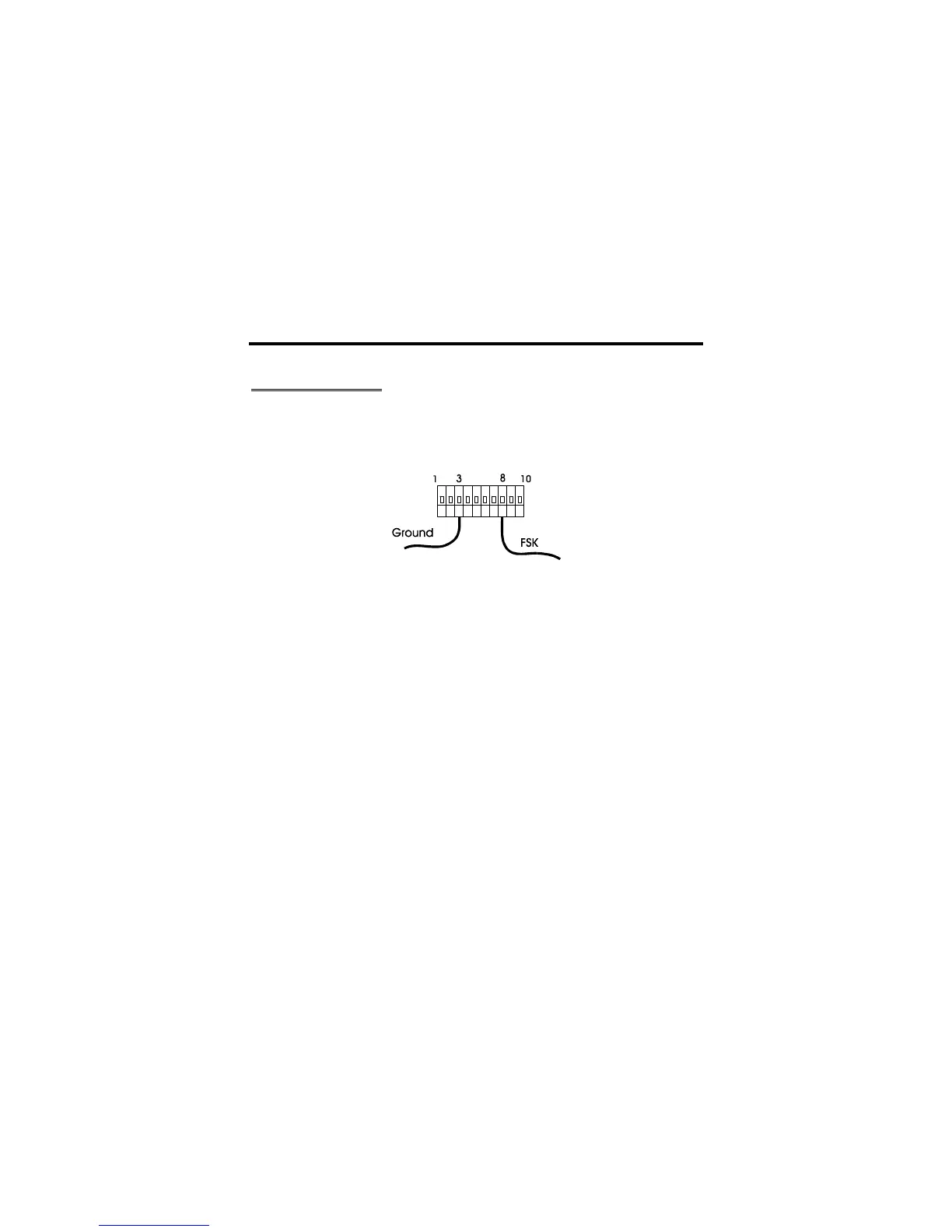
If your HF radio permits FSK operation, an FSK output is provided. The FSK output is at
pin 8 of the TTL port on the rear panel of the MFJ-1278B. Only two lines (Pin-8 FSK and
Pin- 3 ground) are needed in making the FSK connection to your radio. Use the 8-pin IDC
connector supplied with your MFJ-1278B to make the FSK cable. See Figure 3-9 below.
Figure 3-9 FSK Cable
Note: The factory setting of the FSK signal polarity is normal on the MFJ-1278B. If your
radio requires you to provide a reverse FSK signal you will need to relocate the shorting
jumper to position 2 & 3 of the JMP 14 header on the MFJ-1278B mother board.



 To Next Page