9
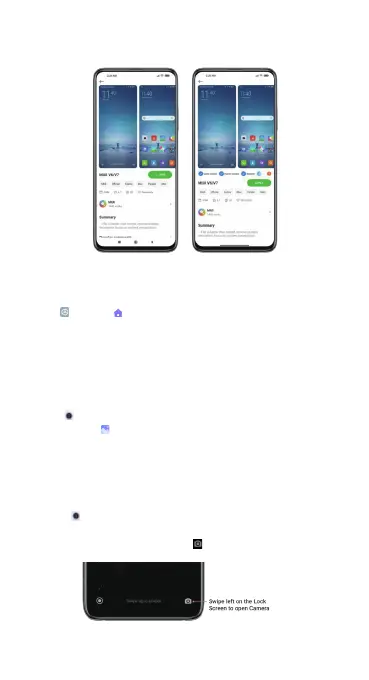
4. After the download is complete, tap APPLY to apply the theme.
Change your launcher style
Customize your Android launcher by specifying a launcher style.
• Go to Settings > Home screen > Home screen.
• Choose Classic or With App drawer.
Explore your phone
Camera & Gallery
With the Camera app, you can capture high-quality pictures and videos
and store them in Gallery, where you can view and edit them.
Camera
How to quickly open Camera
1. From the Home screen
Tap the Camera app on the Home screen to open your camera.
2. From the Lock screen
Swipe left on the Lock screen to open Camera.


 To Next Page