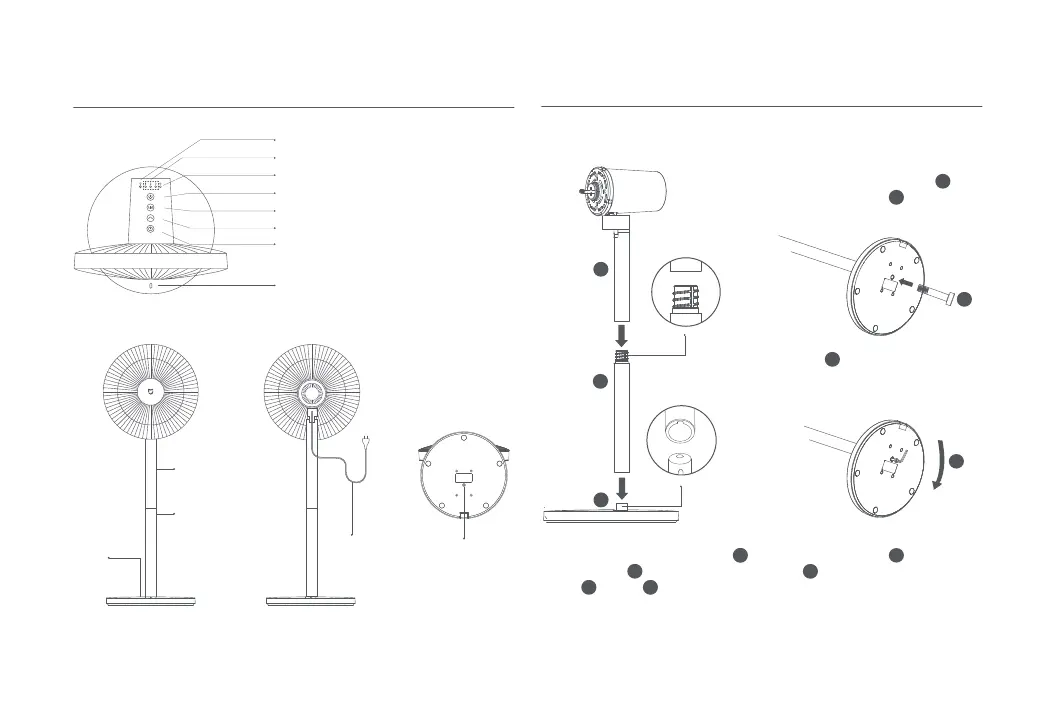
1(2). Table fan mode: Install upper
stand directly onto base.
2. Insert base bolt into the hole
on the boom of the base.
3. Use the included Allen key to
turn base bolt clockwise to fix
the stand to the base.
1(1). Standing fan mode: Connect
lower stand to upper stand, then
install it onto base as shown
in the figure.
Installation Instructions
Wi-Fi Indicator
Speed/Delayed Turn-off Indicator
Sleep Mode Indicator
On/Off Buon
Speed Adjustment/Mode Switch Buon
Oscillation Buon
Scheduled Turn-off Buon
Center Point Indicator (no light effect):
Center point for the fan's head angle
range.
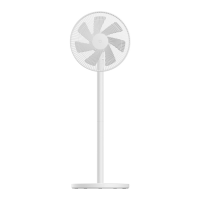
Overview
Top View
Motor &
Upper Stand
Lower Stand
Power Cord
Base Bolt
Base
Step 1: Base installation
1
3
4
3
7
7
3
1
1
4
4
4
8
8
8










 To Next Page