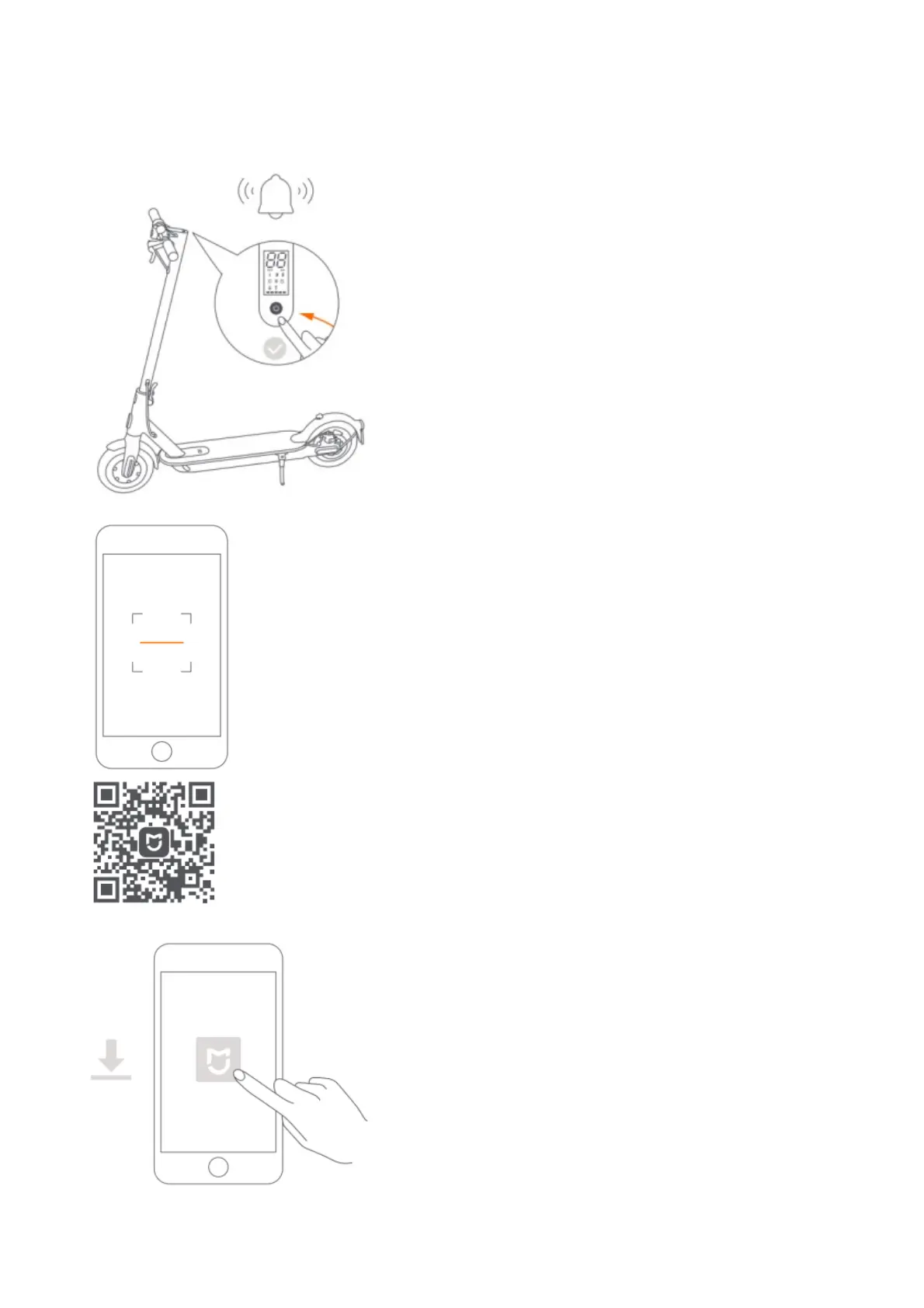
Connect with Mi Home
The app is referred to as Xiaomi Home app in Europe (except for Russia). The name of the app displayed on your
device should be taken as the default.
1. The scooter without being activated will keep beeping when turned on, and its speed is limited to 10 km/h.
2. Scan the QR code to download and install the app.
3. Open Mi Home / Xiaomi Home app.
4. Tap “+” on the upper right, and then follow prompts to add your device.








 To Next Page