Copyright © 2009-2018 Micca. All rights reserved. 180201
1 Introduction
1.1 Preface
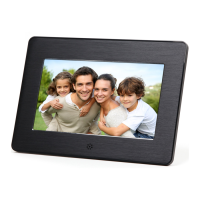
Thank you very much for purchasing this digital photo frame. We hope you will enjoy
using it to view your treasured photos. This photo frame has the following features:
1.1.1 Highlights
High resolution wide view-angle LCD screen with vibrant colors
Natural-view 4:3 screen displays photos with minimal cropping (M808Z)
Wide screen 16:9 display ratio for dramatic visuals (M707Z, M1010Z)
Displays JPG photos with EXIF rotation support
Shows standard definition videos (subject to format limitations)
Plays MP3 music through built-in speaker or headphone output
1.1.2 Features
Displays JPG image/photo files as slideshow in random or sequential order
Plays MP3 music files as background music
Supports MP4 and AVI video with MPEG4 encoding up to 720x576 resolution
Compact IR remote control
USB 2.0 host connector supports USB flash drives with FAT32 file system
Flash media card reader supports SD cards up to 32GB
Automatic photo slideshow, music, or video playback
Auto power on/off feature with flexible scheduling
Adjustable slideshow sequence, speed, and transition effects
Clock and calendar with slideshow
Adjustable screen brightness, contrast, and saturation
Multiple language support: English, French, Italian, German, Spanish
Note: All the information contained in this manual was correct at the time of publication.
However, as our engineers are always updating and improving the product, your
device’s software may have a slightly different appearance or modified functionality than
presented in this manual.



 To Next Page