Copyright © 2009-2014 Micca. All rights reserved. Page | 16
5.5 File Operations, Playlists, Photo Albums
The file browser contains additional file management functionalities, such as file copying,
deleting, moving, renaming, and creation of playlists and photo albums. These features are
useful when a computer is not available to manage files on a storage drive. Whenever possible,
it’s strongly recommended that a computer be used to perform file operations.
5.5.1 Single File Operations
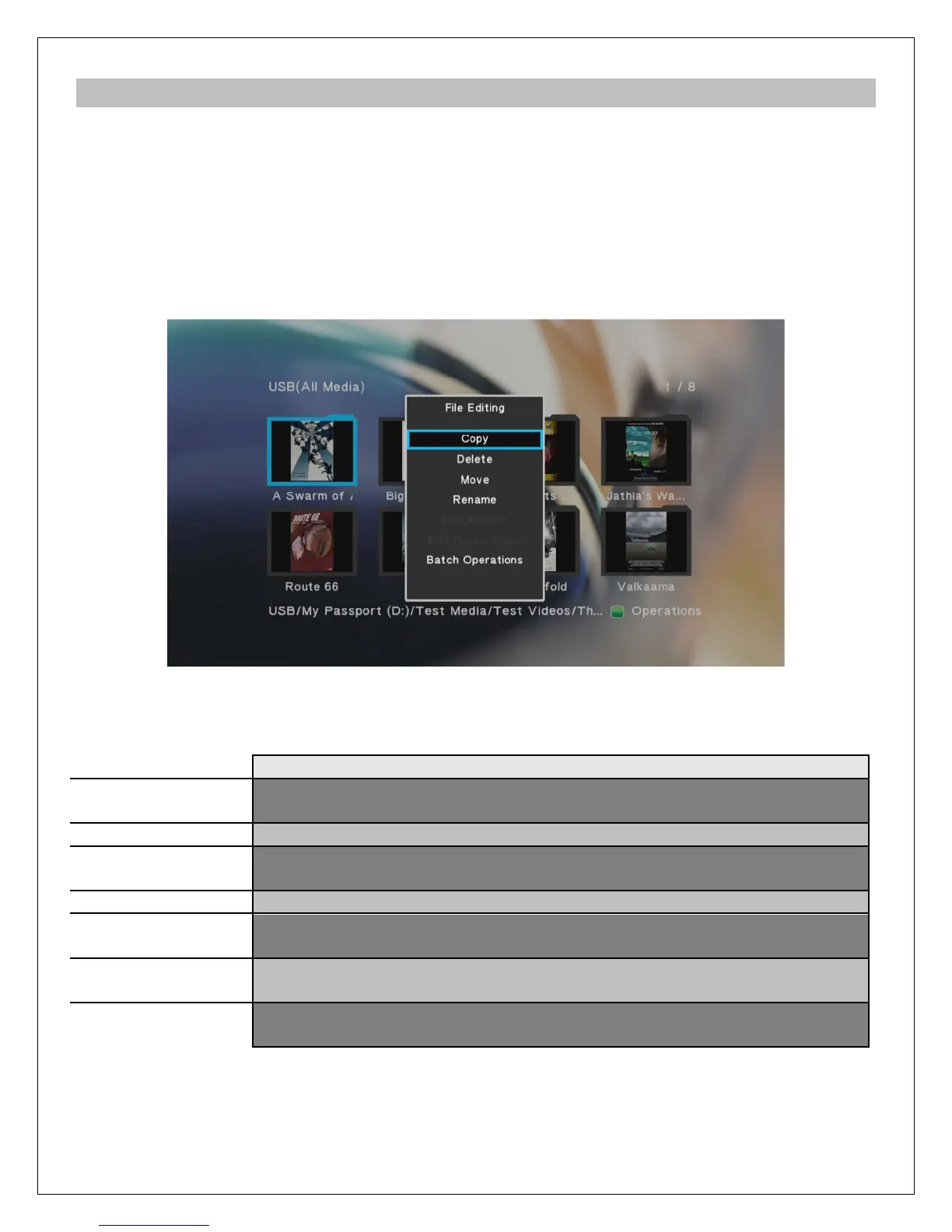
To access the file operations menu, highlight a file or folder and press the GREEN button on the
remote control.
The file editing menu have the following options:
Copy the highlighted file or folder – the user will be prompted to select
the destination location
Delete the highlighted file or folder
Move the highlighted file or folder – the user will be prompted to select
the destination location
Rename the highlighted file or folder
If the highlighted file is a M3U playlist file, it can be edited by selecting
this option, such as for deleting or adding songs.
If the highlighted file is a photo album file, it can be edited by selecting
this option, such as for deleting or adding photos.
Perform copy, delete, move, create playlist, or create photo album on
multiple files or folders.



 To Next Page