Copyright © 2009-2014 Micca. All rights reserved. Page | 17
5.5.2 Multi-File Operations
To perform file operations on multiple files, first press the GREEN button on the remote while
highlighting a file or folder in file browser, then select Multiple Select from the file operations
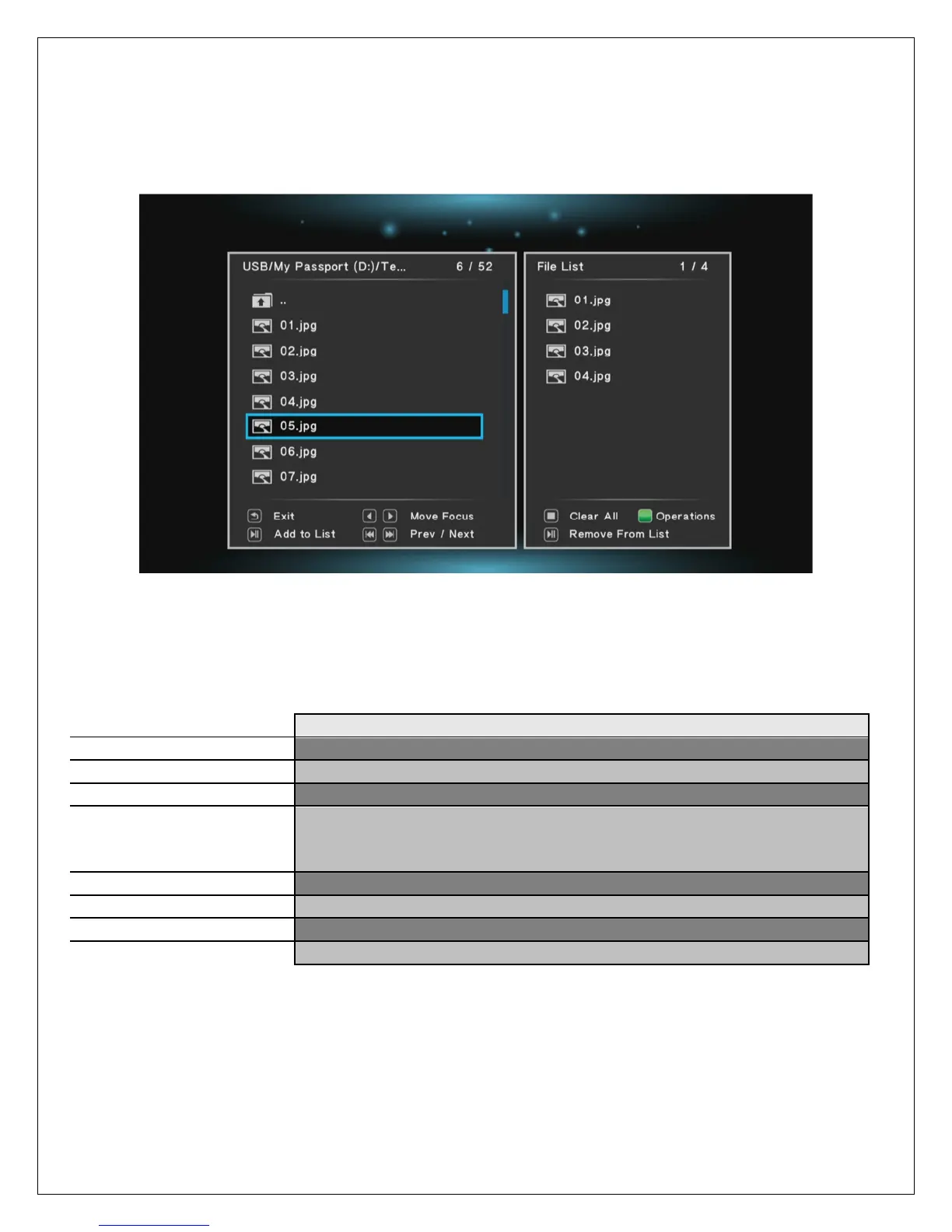
menu. The multi-file operations menu will display:
The multi-file operations menu has two sections, the right section is a file/folder browser box,
and the left section shows files and folders that have been selected. While in the multi-file
operations menu, the following remote control commands are available:
Exit from the multi-file operations menu
Move the cursor to highlight files or folders
Switch between the left or right boxes of the menu
Enter the highlighted folder – to exit from the current folder,
highlight the “..” folder at the top – DO NOT press the RETURN
button.
Go to previous or next page
Add or remove the current file or folder from the list
Clears all files or folders from the file list
Display the file operations menu (Please see below)
After adding the desired files or folders to the file list, press the GREEN button on the remote to
initiate multi-file operations.



 To Next Page