16
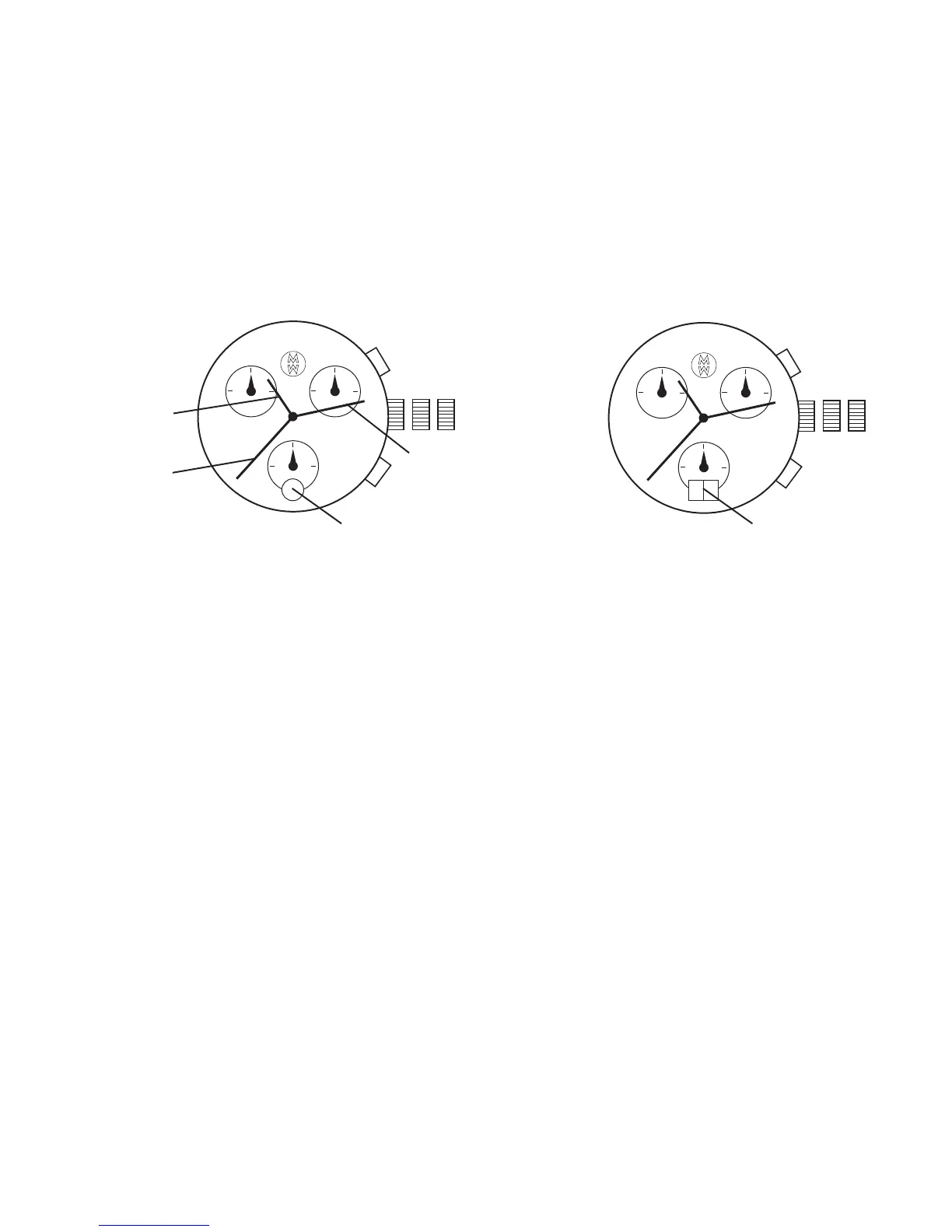
CHRONOGRAPH MODELS (RONDA 5040.D, 5050.B)
Setting the Time
1. Pull crown out to position III (the watch stops).
2. Turn crown until you reach correct time.
3. Push crown back into position I.
Setting the Date
1. Pull crown out to position II (the watch continues to run).
2. Turn crown until yesterday’s date appears.
3. Pull crown out to position III (the watch stops).
4. Turn crown until the correct date appears.
*NOTE: When the correct date first appears, your watch is set at midnight.
5. Continue to turn crown until the correct time appears.
6. Push crown back into position I.
III III
III III
Minute Hand
Crown
(Position I, II, III)
Pusher A
Pusher B
Hour Hand
Second Hand
Date Indicator Date Indicator
5040.D 5050.B


 To Next Page