EasyManua.ls Logo

Michigan Welding PLASMA30 - User Manual

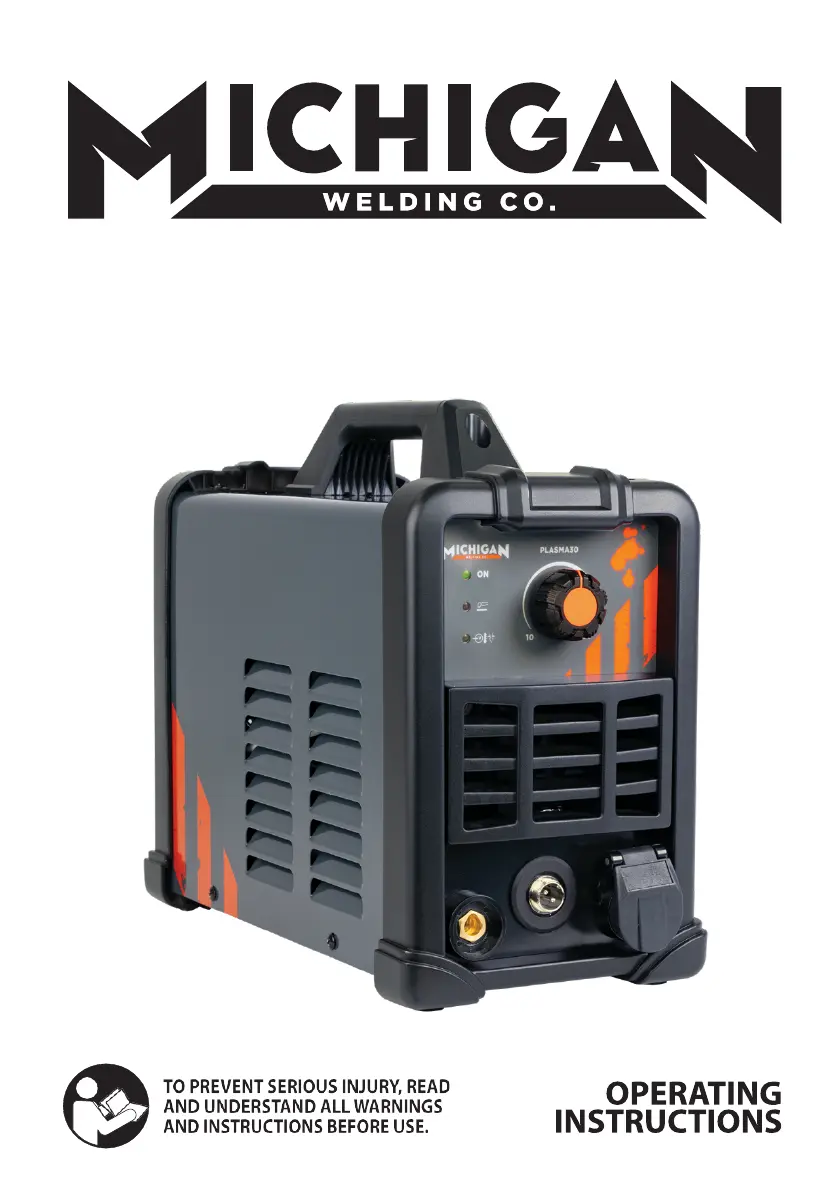
Michigan Welding PLASMA30
24 pages
Print Icon
To Next Page IconTo Next Page
Loading...
30A PLASMA CUTTER
PART NO: PLASMA30 (..172844)

Questions and Answers

  • M
    Melissa GomezAug 3, 2025
    Why is the alarm indicator on my Michigan Welding PLASMA30?
    • A
      Ashlee SmithAug 4, 2025
      If the alarm indicator is on for your Michigan Welding Welding System, it could be due to several reasons. First, the voltage might be too high (more than 15% over). In this case, switch off the power source, check the main supply, and restart the welder once the power returns to normal. Second, the surrounding temperature could be too high or you are using it over the rated duty cycle. The system should automatically recover once the temperature decreases.
  • B
    Brooke RossAug 18, 2025
    How to fix a cooling fan that is not working on a Michigan Welding PLASMA30 Welding System?
    • S
      samanthareedAug 18, 2025
      If the cooling fan in your Michigan Welding Welding System isn't working or is turning very slowly, it could be due to a few reasons. The fan might be damaged, the fan’s down-lead might not be working, or the fan's leaf could be blocked. If the fan appears damaged or the fan’s down-lead isn't working, replacement may be required; contact the place of purchase for a qualified repair agent. If the fan's leaf is blocked, try cleaning the block.

Summary

OPERATING INSTRUCTIONS

General Safety Rules

Provides essential safety instructions to prevent injury and ensure safe operation of the plasma cutter.

Important Safety Considerations

Details critical safety aspects for the welding environment and machine usage.

Specific Areas of Danger, Caution or Warning

Electrical Shock and Fumes Hazards

Covers dangers from electrical shock, fumes, and gases during operation.

Arc Rays and Fire Hazards

Details risks associated with UV/IR arc rays and fire hazards from welding.

Other Operational Hazards

Addresses risks from hot materials, flying debris, electromagnetic fields, and gas cylinders.

Proper Care, Maintenance, and Repair

Use, Care, and Storage

Guidelines for using, caring for, and storing the PLASMA30 welder.

Caring for the Environment

Instructions for environmentally friendly disposal and recycling of the welder and packaging.

Description and Specifications

Product Description

Explains the working principle and features of the PLASMA30 plasma cutter.

Specifications and Dimensions

Lists the technical specifications and physical dimensions of the PLASMA30.

Setup and Installation

Unpacking and Front Control Panel

Steps for unpacking the welder and overview of the front control panel.

Installation Requirements

Details power requirements, extension cord usage, and torch installation for the welder.

Operation and Cutting

Operation Guide

Steps for powering on, checking indicators, and adjusting settings for operation.

Manual Cutting Technique

Instructions and tips for performing manual plasma cutting effectively.

Service, Maintenance, and Troubleshooting

Service and Maintenance

Procedures for maintaining the welder, including dust removal and component checks.

Trouble Shooting Chart

A guide to identify and resolve common issues with the PLASMA30 welder.

Technical Information

Main Circuit Chart

A schematic diagram illustrating the main electrical circuit of the welder.

Parts Breakdown

An exploded view and list of all components of the PLASMA30 welder.

Warranty Information

Express Warranty and Claims

Outlines the terms, conditions, and procedures for the product's warranty.

Michigan Welding PLASMA30 Specifications

General IconGeneral
BrandMichigan Welding
ModelPLASMA30
CategoryWelding System
LanguageEnglish

Related product manuals