MCS‐BMS‐GATEWAYStartupGuide Revision4.0
MicroControlSystems5580EnterprisePkwy,FortMyers,FL33905USAWeb:www.mcscontrols.com
Tel:(239)6940089Fax:(239)6940031
14
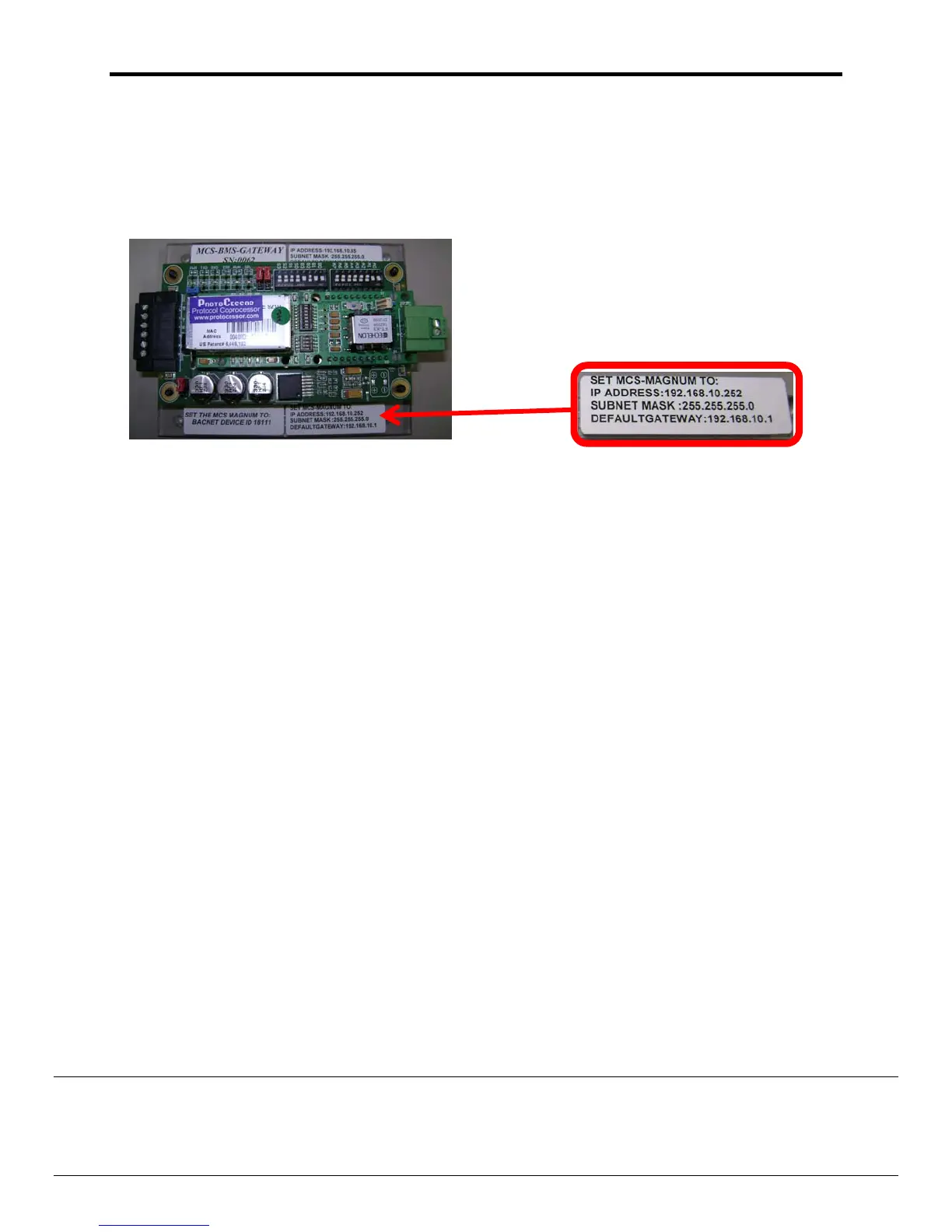
TheMCS‐MAGNUMIPmustbesettotheaddressspecifiedontheMCS‐BMS‐Gatewayslabel
(ex.192.168.10.252).
TheMCS‐MAGNUMIPaddresscanbeverifiedandchanged(withtheproperauthorizationcode)fromtheMCS‐
Magnum’skeypad/LCDofaliveunit.
Thefollowingstepswilldisplay
theIPAddresssettings:
(tochangetheaddressyoufirstmustbeauthorized)
1. PresstheMENUkeyandthenUsing,,,orpositioncursertoServToolsthenpresstheENTER
key.
2. ThenUsing,,,orpositioncurserto
ServToolsthenpressEnter.
3. ThenUsing,,,orpositioncursertoEthernetNetworkthenpressEnter.
4. ThenUsing,,,orpositioncursertoIPaddressthenpressEnter.
5. Using,toincreaseanddecreasethefirst
setofvaluesthenusethetoselectthenextsetof
numbersanduse,toincreaseanddecreasethesecondvalueandrepeatthepreviousstepsforrestof
theipaddress.
6. OnceyouhavesetthedesiredaddresspresstheEnterkey.
7. Reset
orcyclepowertothemagnumforthechangetotakeeffect.


 To Next Page