MCS‐BMS‐GATEWAYStartupGuide Revision4.0
MicroControlSystems5580EnterprisePkwy,FortMyers,FL33905USAWeb:www.mcscontrols.com
Tel:(239)6940089Fax:(239)6940031
9
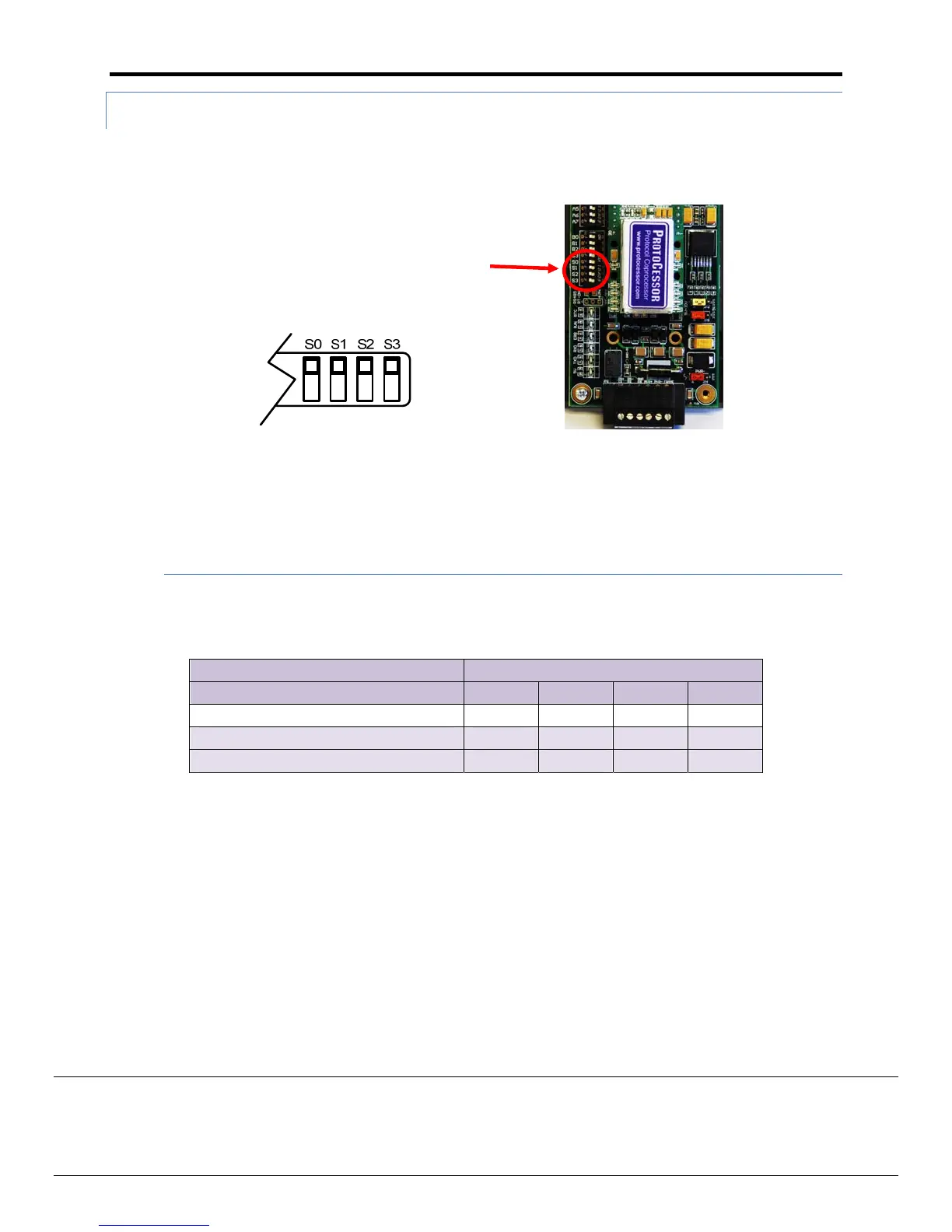
2.2.3 UsingS0–S3bankofDIPSwitchestoselectandloadConfigurationFiles
The S bank of DIP switches, S0‐S3 is used to select and load a configuration file from a group of
pretested/preloadedconfiguration files which are stored inthe MCS‐BMS‐GATEWAY (Lonworks, BACnet
MS/TPorMetasysN2.
Figure4:S0–S3DIPSwitches
A. LonWorks,BACnetMS/TPandN2
The following chart describes S0‐S3 DIP Switch configuration settings for MCS‐BMS‐GATEWAY to support
LonWorks,BACnet®MS/TPandMetasys®N2byJCI
MCS‐BMS‐GATEWAY MCS‐BMS‐GATEWAY BankDIPSwitches
Profile–MCS‐BMS‐GATEWAY RER S0 S1 S2 S3
Lonworks Off Off Off Off
BacnetMS/TP On Off Off Off
N2 Off On Off Off
Figure5ProtocolSelectionSwitchTables
SBankDIPSwitches


 To Next Page