MCS‐BMS‐GATEWAYStartupGuide Revision4.0
MicroControlSystems5580EnterprisePkwy,FortMyers,FL33905USAWeb:www.mcscontrols.com
Tel:(239)6940089Fax:(239)6940031
13
3.5 MCS‐MAGNUMAddressSettings
TheMCS‐BMS‐GATEWAYisconnectedtotheMCS‐MAGNUMviaEthernet.TheBacnetDeviceIDandtheIP
addressoftheMCS‐MAGNUMmustbesetupproperlytoenablesuccessfulcommunicationsbetweentheMCS‐
BMS‐GATEWAYandtheMCS‐MAGNUM.
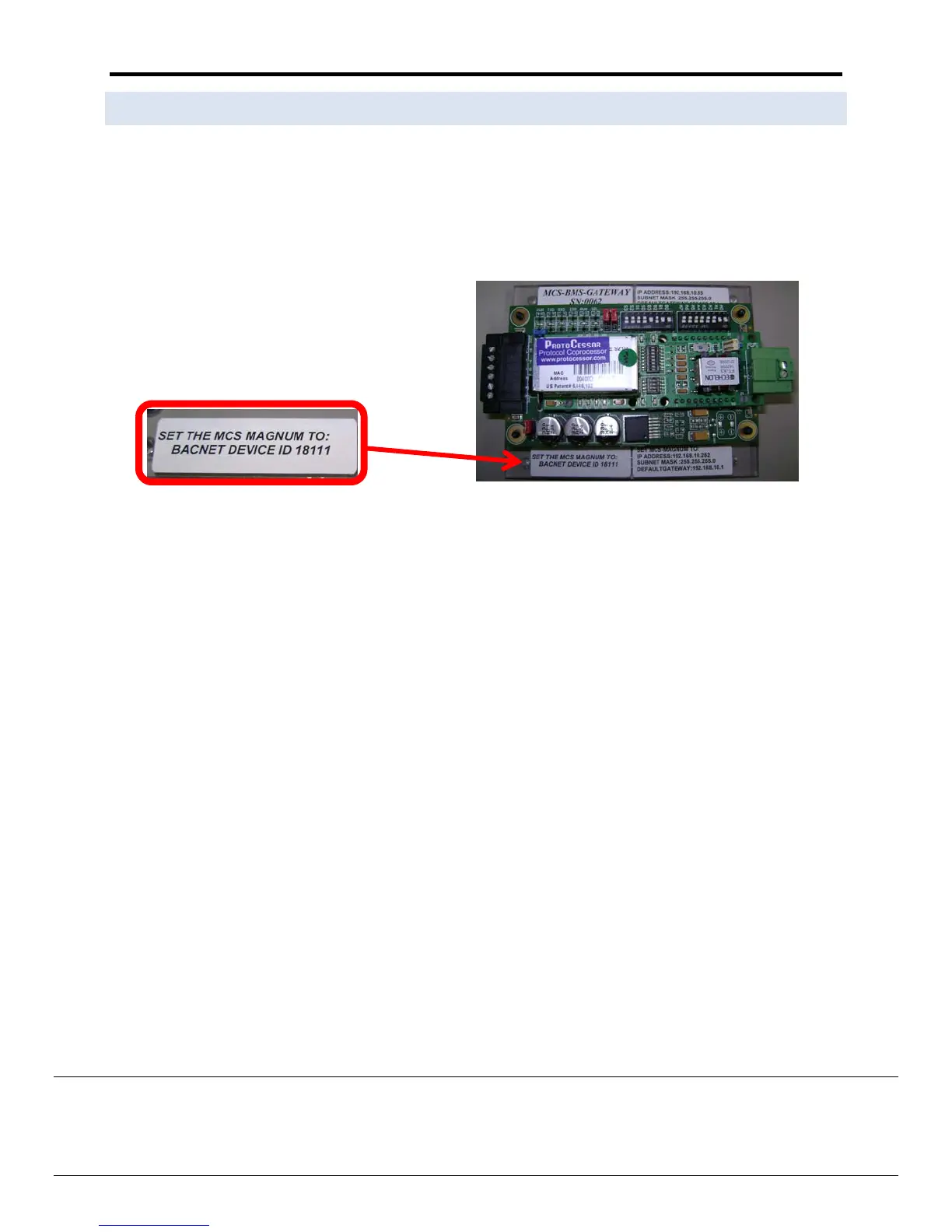
TheMCS‐MAGNUMBACNETDEVICEIDmustbeset
totheaddressspecifiedontheMCS‐BMS‐Gatewayslabel
(ex.18111).
TheMCS‐MAGNUMBACNETDEVICEIDcanbeverifiedandchanged(withtheproperauthorizationcode)from
MCS‐Magnum’skeypadthekeypad/LCDofaliveunit.
TogetauthorizedonMagnumdothefollowing:
1. Press‘Menu’
2.
Using,,,orpositioncurserto‘Passwords’
3. Presskey.
4. Enter4digitpassword&press.
5. Press‘Menu’tomakenextselection.
ThefollowingstepswilldisplaytheBacnetDeviceID:
(tochangetheaddressyoufirstmustbeauthorized)
1.
PresstheMENUkeyandthenUsing,,,orpositioncursertoServToolsthenpresstheENTERkey.
2. thenUsing,,,orpositioncursertoBacnetDeviceIDthenpressEnter.
3. Use,,cursertochangethe
BacnetDeviceID.
4. SetyourdesiredaddressthenpressEnter.
5. Resetorcyclepowertothemagnumforthechangetotakeeffect.


 To Next Page