MCS‐BMS‐GATEWAYStartupGuide Revision4.0
MicroControlSystems5580EnterprisePkwy,FortMyers,FL33905USAWeb:www.mcscontrols.com
Tel:(239)6940089Fax:(239)6940031
4
LISTOFFIGURES
Figure1:A0–A7DIPSwitches......................................................................................................................................7
Figure2:B0–B3DIPSwitches......................................................................................................................................8
Figure3BaudRateTable...............................................................................................................................................8
Figure4:S0–S3DIPSwitches.......................................................................................................................................9
Figure5ProtocolSelectionSwitchTables.....................................................................................................................9
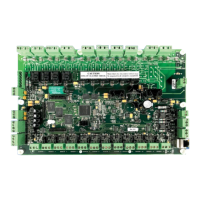
Figure6:MCS‐BMS‐GATEWAY....................................................................................................................................10
Figure7GatewaytoRS‐485wiring.................................................................................Error!Bookmarknotdefined.
Figure8Lonworksnetworkwiring..............................................................................................................................12
Figure9WiringthepowertotheMCS‐BMS‐GATEWAY..............................................................................................12
Figure10ServicePin....................................................................................................................................................15
Figure11BMSpointsbutton.......................................................................................................................................20
Figure12The"CREATEMCS‐BMS‐GATEWAY"button................................................................................................20
Figure13SaveAspromptbox.....................................................................................................................................21
Figure14CSVFiles.......................................................................................................................................................21
Figure15:EthernetportlocationofMCS‐BMS‐GATEWAY..........................................................................................17
Figure16:PingUtility..................................................................................................................................................18
Figure17:RUINETscreen............................................................................................................................................18
Figure18LonWorksProtoCessorLED’s.......................................................................................................................38
Figure19MainBoardLED's.........................................................................................................................................41


 To Next Page

