29
Setup via the Setting Tool
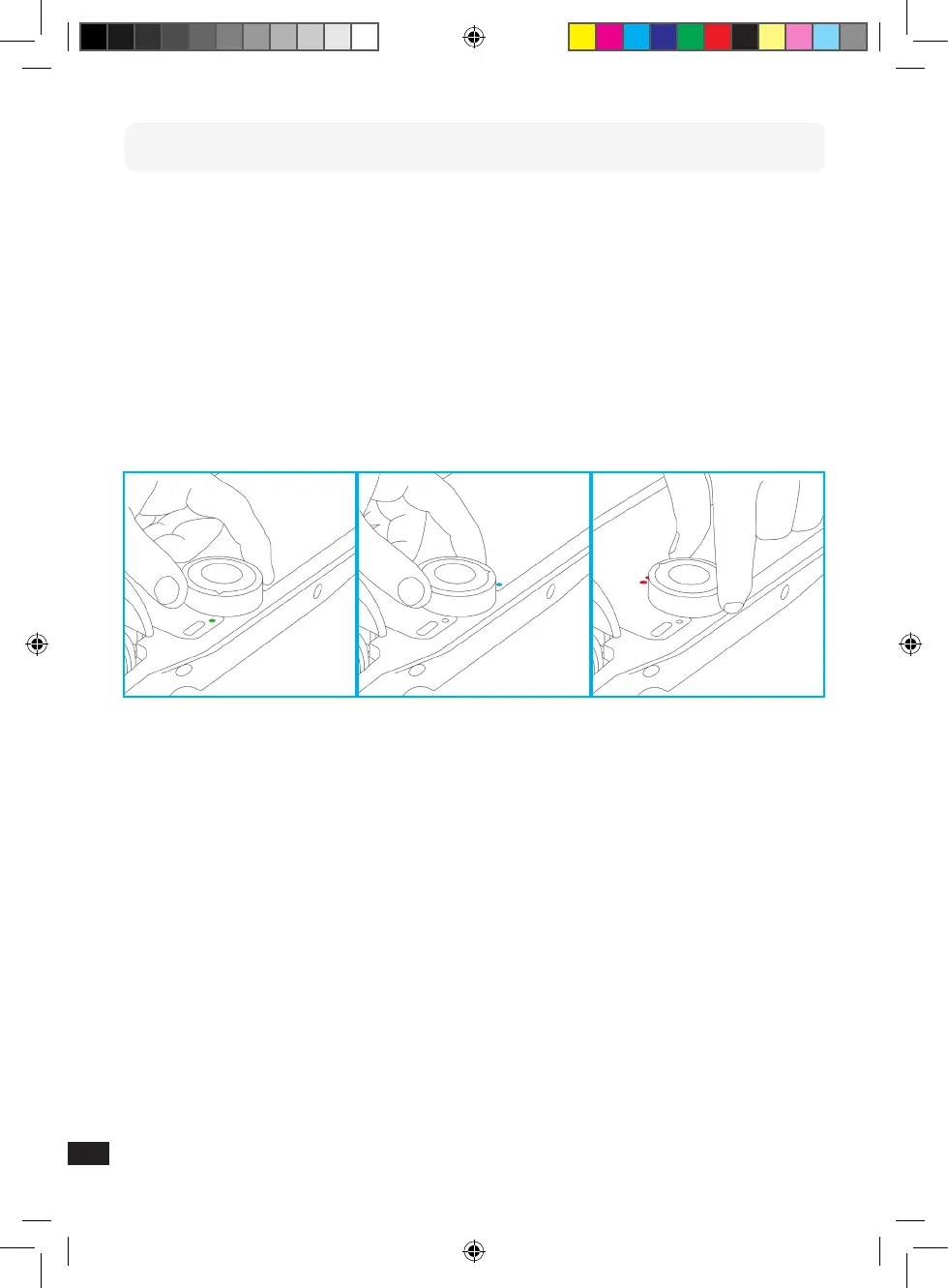
● A small arrow head is engraved on the Setting Tool; you have to align the tool
to this arrow. Hold the Setting Tool on the circular cut-out on the footboard.
● Turning the Setting Tool and aligning the arrow to the empty circles enables
you to switch between the three programs.
● The LED display shows you which riding program is set by ashing dimly three
times, followed by ashing brightly three times.
Image: Setting the riding programs via the Setting Tool
EN


 To Next Page