Chapter 3 Getting Started
226/426 User’s Guide 9
3.3 Loading Media
The 426P printer has been designed to make loading fanfold or continuous media a simple
process. With the fixed Tag bracket installed, no adjustments are needed when installing
media, thus reducing down time. Follow the instructions below to properly load the media.
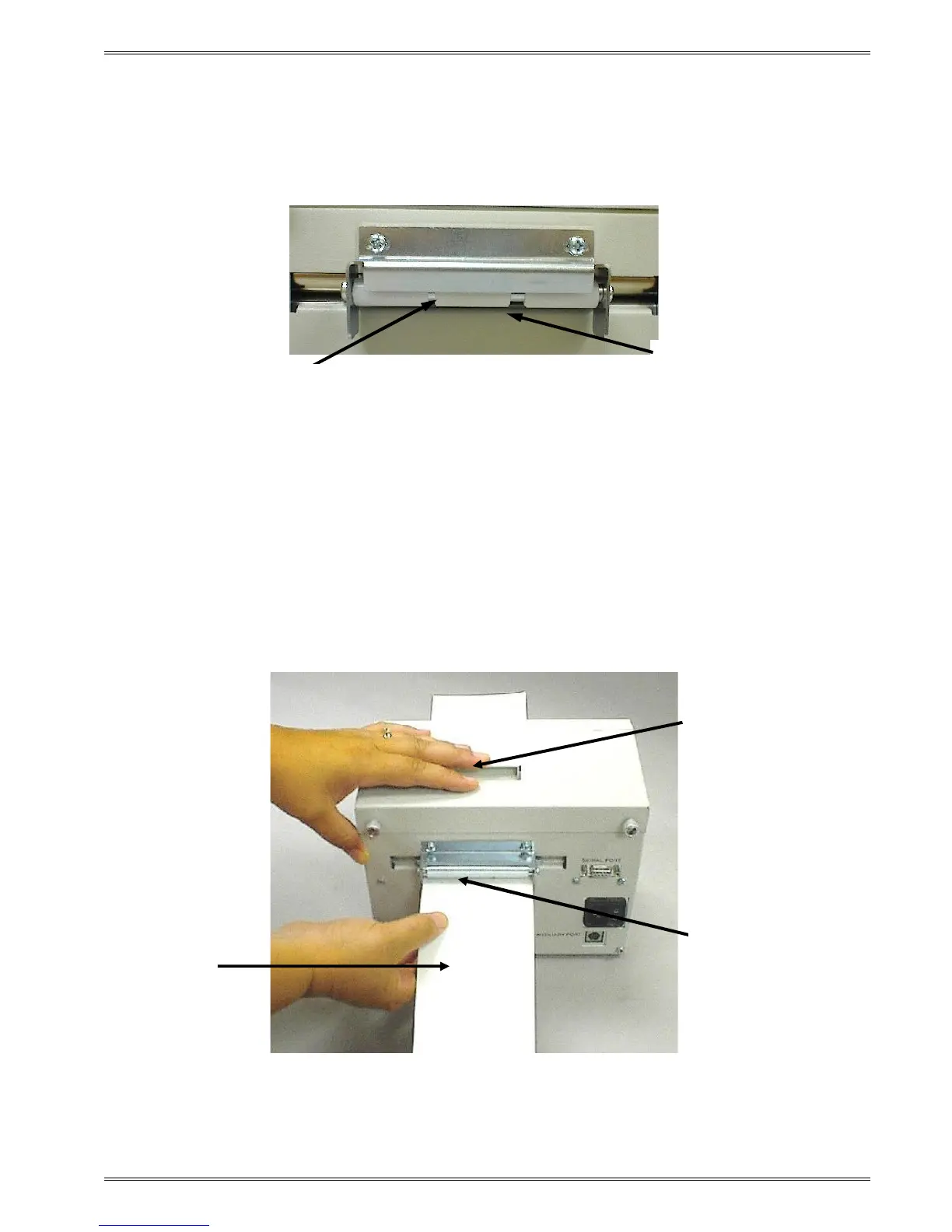
Figure 5 Tag Bracket
Note: The Tag bracket has a fixed opening of 3.37” (85.73mm).
1. Feed the media below the Line Guide Idler (see Figure 5.), located on the back of the
printer, until you feel resistance.
2. Push down on the Head Lift Lever and continue feeding the media until it passes
through to the front of the printer (see Figure 6.).
Figure 6 Loading Media
Line Guide Idler
Media Path
Head Lift Lever
Media
Line Guide Idler


 To Next Page