226/426 User’s Guide v
List of Figures
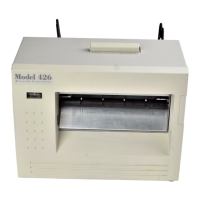
Figure 1 426 Front Angled View.............................................................................vi
Figure 2 426 Rear Angled View..............................................................................vi
Figure 3 Standard Printer Accessories....................................................................7
Figure 4 Connecting the Printer...............................................................................8
Figure 5 Tag Bracket...............................................................................................9
Figure 6 Loading Media...........................................................................................9
Figure 7 Front Panel Button and Indicator Light....................................................10
Figure 8 ^D960)1 or ^K Test Pattern .....................................................................26
Figure 9 ^D323-List Enablements Example...........................................................26
Figure 10 ^D326-List Settings Example................................................................27
Figure 11 ^D325-List Selections Example............................................................27
Figure 12 ^D324-List Statistics Example..............................................................28
Figure 12 426 Interface Connections....................................................................31
Figure 13 Ethernet Port - 10BASE-T ....................................................................31
Figure 14 Insertion of Thermal Cleaning Card......................................................35
Figure 15 Thermal Card Removal ........................................................................35
Figure 16 Removal of top cover............................................................................36
Figure 17 Unlatching of Print head.......................................................................36
Figure 18 Internal Cleaning ..................................................................................37
Figure 19 Print head Thermal Elements...............................................................38
Figure 20 Gap Detector........................................................................................40
Figure 21 Auxiliary Button.....................................................................................41


 To Next Page