IBEX 8 Nozzle SMALL FRAME_June 2020 June 20 Page 12 of 41
9. System Operation
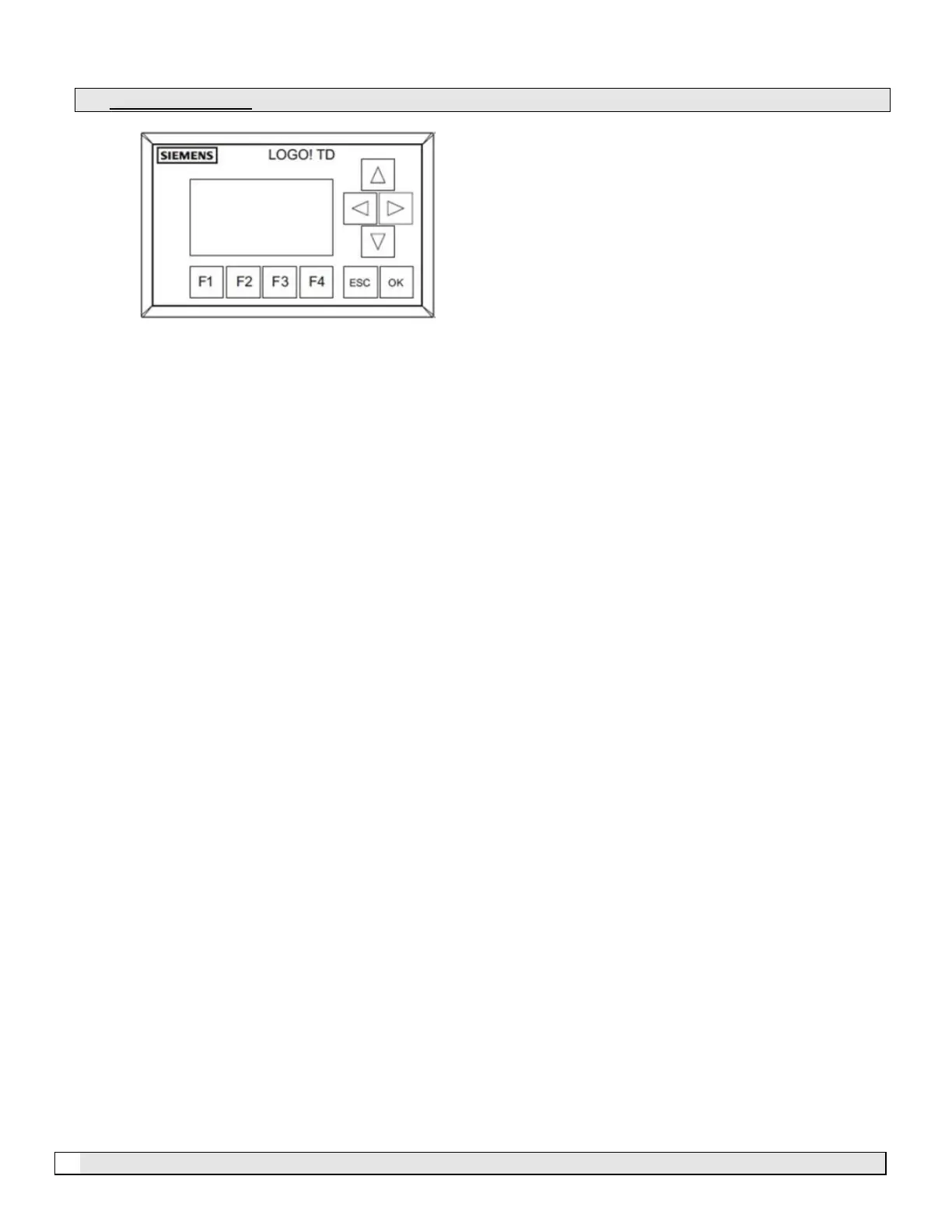
F1 – Manual Run
F2 – Auto Ready
F3 – Stop/Reset
F4 – Use to access parameter settings (hold for 3 seconds)
ESC – Exit existing screen
OK – Enter/Save
F1 – Manual Run
F1 operates the pump manually, the pump will run continuously regardless of external controllers or internal
time settings. F1 should be disabled if the system design requires the pump to be operated by zone
controllers, external controllers or internal time clocks. See 9.6 Disabling F1 “Manual Run”
F2 – Auto Ready
F2 puts the pump in automatic mode and requires a hard-wired input (switch) into the electrical control
panel on terminal 1 & 2 on TB1 (yellow and blue terminal blocks). Auto mode is also used if the internal 24
hour, 7 day clocks and/or internal temperature and humidity controllers are to be activated.
Note: If the internal controls are to be used and no remote switch is installed, then the supplied jumper is to
be installed between terminal 1 & 2 on TB1.
F3 – Stop/Reset
F3 is the stop and reset input. This button will stop the pump module and reset all faults.
F4 – Parameters, Settings & Pump Details
Hold F4 in for 3 seconds will bring up the pump details which include, Model number, Serial number,
Manufacture date and PLC Program version. This screen will stay visible for 30 seconds. The parameter
settings are also accessible from this screen. See 9.1 and 9.2.


 To Next Page