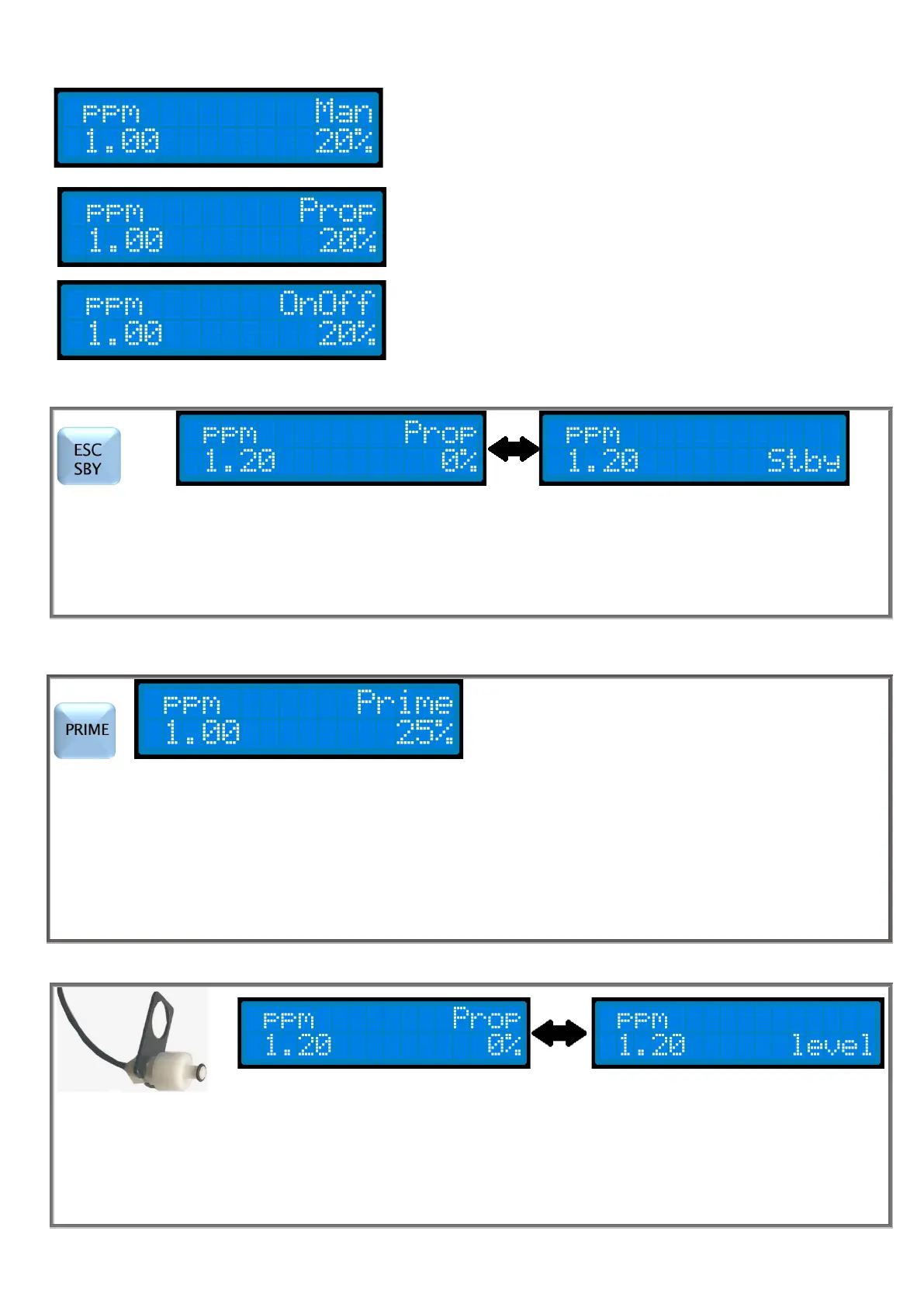
DISPLAY IN DIFFERENT DOSING
➔ Measure 1.00ppm;
➔ Manual Dosing; Flowrate at 20% of maximum Flowrate.
➔ Measure 1.00ppm;
➔ Proportional Dosing, Flowrate at 20% of the maximum
flowrate
➔ Measure 1.00ppm;
.
➔ OnOff Dosing, Flowrate at 20% of the maximum flowrate
STAND BY (STOP)
3sec
Keep pushing ESC/SBY button for 3 seconds during the functioning to put the pump in stand by mode:
1) The pump stops dosing
2) Green on led blinks
3) The display shows alternativenly “Stby” and the type of dosing (flowrate is 0%)
Push again the ESC/SBY button to return the pump to the programmed functioning.
Push the PRIME button shortly during the functioning to put the pump in Prime status:
1) The pump doses at 25% of maximum flowrate
2) The green LED is lit fix
3) The red LED flashes
4) Display shows "Prime 25%"
Push again PRIME button to return the pump to the operating state.
NOTE: keeping pressed the PRIME button for 2 seconds the pump will dose at 80% of the maximum flowrate and
the display will show "Prime 80%".
LEVEL PROBE CONTROL (OPTIONAL)
The closing of the level input dry contact will cause:
1) the pump stops dosing
2) the green ON led blinks
3) the display shows “Level” alternatively and the actual dosing (flowrate is 0%).
When the level contact gets opened again, the pump returns to working mode compatible with the actual inputs.
NOTE: The level alarm suspends (but not reset) the counting of the TAL (Over dosage Time Alarm)


 To Next Page