microHAM © 2008 All rights reserved
3 - PANEL DESCRIPTION
Front Panel
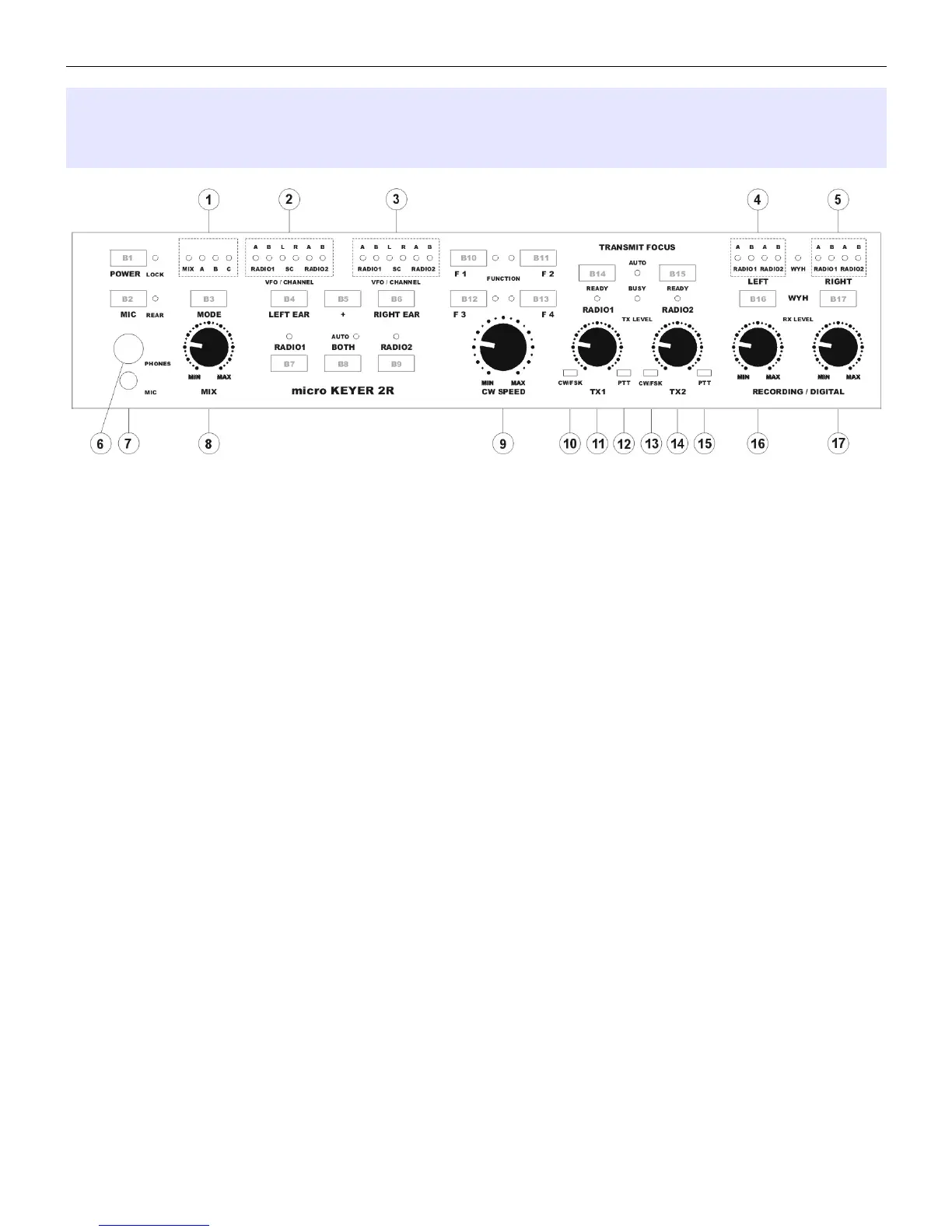
B1 – POWER
Turns MK2R/MK2R+ on or off. While in operation, a short press will lock or unlock the front panel. When
locked, the LOCK light will illuminate.
B2 – MIC
Selects the microphone. When the REAR light is illuminated the microphone attached to rear panel RJ45
MIC jack is active. Otherwise, the front panel MIC jack (3.5 mm) is active.
B3 – MODE
Selects among the operating modes defined at the SO2R tab in Router. The mode is selected or deselected
by pressing this button until the light representing the desired operating mode is flashing and allowing it to
time out. The active mode(s) are indicated by the MODE lights.
(1) – MK2R MODE status
MIX – Mix control is active.
A – Mode A selected/active
B – Mode B selected/active
C – Mode C selected/active
B4 – LEFT EAR
Selects the audio source connected to the left ear of the headphones.
(2) – Left Headphone Status
RADIO1:
A – indicates audio from VFO A of RADIO1 is connected to the left ear
B – indicates audio from VFO B of RADIO1 to connected to the left ear
SC:
L – connects left channel audio from the unused sound card to the left ear
R – connects right channel audio from the unused sound card to the left ear
RADIO2:
A – indicates audio from VFO A of RADIO2 is connected to the left ear
B – indicates audio from VFO B of RADIO2 is connected to the left ear
7


 To Next Page