Need help?
Do you have a question about the Micromax Canvas 2 and is the answer not in the manual?
Crucial safety and usage guidelines before first use.
Guides users through initial hardware setup.
Essential step for first-time device use.
Details methods to protect the phone from unauthorized access.
Important warnings for safe device usage in various environments.
Details on radio frequency exposure and safety guidelines.
This document is a user guide for the Micromax Q4310 Android Nougat device, providing comprehensive information on its features, usage, and maintenance.
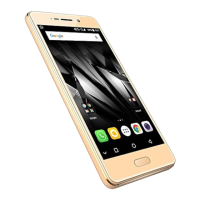
The Micromax Q4310 is an Android Nougat smartphone designed to offer a range of advanced features for an enhanced user experience. It supports dual SIM cards, allowing users to manage two different network connections simultaneously. The device includes a front and rear camera with flash for capturing photos and videos. For audio, it features a headset jack, earpiece, and speaker. Communication is facilitated through a microphone (MIC) and a USB jack for charging and data transfer. The phone is equipped with a notification light to alert users to new messages and events, and a proximity sensor. A key security feature is the fingerprint scanner, which allows for quick and secure unlocking of the device and access to applications.
The device operates on the Android Nougat platform, providing access to a wide ecosystem of applications and services through the Google Play Store. Users can configure a Google Account to access services like Gmail, Google Play Store, and Google Maps. The phone also supports various connectivity options, including Wi-Fi, Bluetooth, and cellular data. It can function as a modem for other devices through USB tethering, Wi-Fi hotspot, and Bluetooth tethering, enabling internet access on laptops or other handsets.
A notable safety feature is the Panic Button, which allows users to quickly call emergency services (number 112) by pressing the Power key three times in quick succession. This feature is accessible even when the device is locked. The phone also incorporates a Battery Saver Mode to optimize power consumption by restricting background data for apps and limiting performance, extending battery life. This mode automatically deactivates when the phone is connected to a charger.
The user guide details how to get started with the Micromax Q4310. Initial setup involves inserting SIM and memory cards, with clear illustrations provided for proper placement. Before first use, it is recommended to fully charge the battery using only Micromax chargers and cables to avoid invalidating the warranty.
Navigating the device is intuitive, with notifications informing users of new messages and events. The notification panel can be opened and closed with a simple swipe, and quick settings are accessible for common functions like Airplane Mode, Wi-Fi, and brightness adjustments.
Security is a primary focus, with multiple methods available to unlock the phone. The default unlock method is a simple swipe on the lock screen. Users can configure more secure options such as a pattern, PIN, or password. The fingerprint scanner offers a convenient and fast way to unlock the device and access apps; users can add multiple fingerprints and follow on-screen instructions for setup.
Connecting to the internet is straightforward. Users can enable cellular data via the SIM cards settings. For data connection, access point names (APN) are usually configured automatically upon SIM insertion or sent by the network provider via SMS. Manual configuration is also possible. Wi-Fi connectivity is available, and the device supports tethering and portability features, allowing it to share its internet connection with other devices.
Bluetooth functionality enables pairing with other Bluetooth-enabled devices. The guide explains the pairing process, including searching for devices, confirming passkeys, and connecting. The Airplane Mode feature allows users to disable all wireless connections (mobile networks, Wi-Fi, Bluetooth) for use in environments where radio transmissions are restricted.
Google Maps is integrated into the device, providing map-based services, route planning, and landmark viewing. To use Google Maps, location access must be enabled in the settings, and an internet connection is required.
The user guide emphasizes several safety precautions and maintenance tips to ensure the longevity and proper functioning of the Micromax Q4310. Users are advised to switch off the device in potentially explosive atmospheres, such as refueling stations or chemical plants, and to comply with all legal requirements and local restrictions regarding phone usage.
Medical device interference is a concern, and users with implanted medical devices like pacemakers are advised to maintain a distance of at least 15.3 cm (6 inches) between the phone and the implant. The phone should always be kept out of reach of small children, as small parts like the SIM card can be a choking hazard. Electromagnetic data carriers, such as credit/debit cards, should not be placed near the phone to prevent data loss.
To prevent hearing damage, users are warned against using earphones at high volumes for prolonged periods and are advised to set the volume to a safe level. Only power supply units with the specified mains voltage should be used to prevent damage to the charging device, and the power supply should be plugged into an easily accessible AC power socket.
The guide strictly prohibits users from opening the phone to replace the battery (if not in-built) or SIM card, or making any other changes, as this will invalidate the warranty. Repairs should only be performed by Micromax authorized service centers.
Environmental care is also highlighted. The device should be kept dry, as precipitation and humidity can rust electronic circuits. In case of exposure to liquids, the device should be wiped with a dry cloth and taken to an authorized service center. Extreme temperatures (high or cold) should be avoided, as they can shorten the life of electronic devices and damage batteries. The device should not be stored or used in dusty or dirty areas, as this can damage moving parts and electronic components. Rough handling, dropping, knocking, shaking, or bending the device should be avoided to prevent damage to internal circuit boards and fine mechanics. Harsh chemicals, cleaning solvents, or strong detergents should not be used; instead, a soft, clean, dry cloth is recommended for cleaning the device surface. Storing the device near magnetic fields for extended periods is also discouraged.
Battery recommendations include charging the device at room temperature. Users are informed that batteries have life cycles and that a significant decrease in power reserve after a full charge indicates the end of the battery's life. Only Micromax chargers and cables should be used to ensure user safety and maintain warranty validity.
The device is designed to operate within a temperature range of -20°C to 45°C and stored within -30°C to 65°C. Violating these conditions can damage the device and reduce battery life. The recommended humidity for maintenance is 50% to 55%.
Finally, the guide includes information on recycling the phone, indicated by the WEEE logo. Users are responsible for disposing of electronic waste equipment at specified collection points for recycling to preserve the environment and ensure human health. Further information on best practices for electronic waste disposal is available on the Micromax website.
 General
| Display Size | 5.0 inches |
|---|---|
| Display Resolution | 720 x 1280 pixels |
| GPS | Yes |
| SIM Slots | Dual SIM |
| Bluetooth | 4.0 |
| Wi-Fi | 802.11 b/g/n |

 To Next Page