- 21 -
automatically:
“Attain DNS automatically
Set DNS Manually
To specify the DNS, enter the DNS provided by your
ISP in DNS 1 2 3.
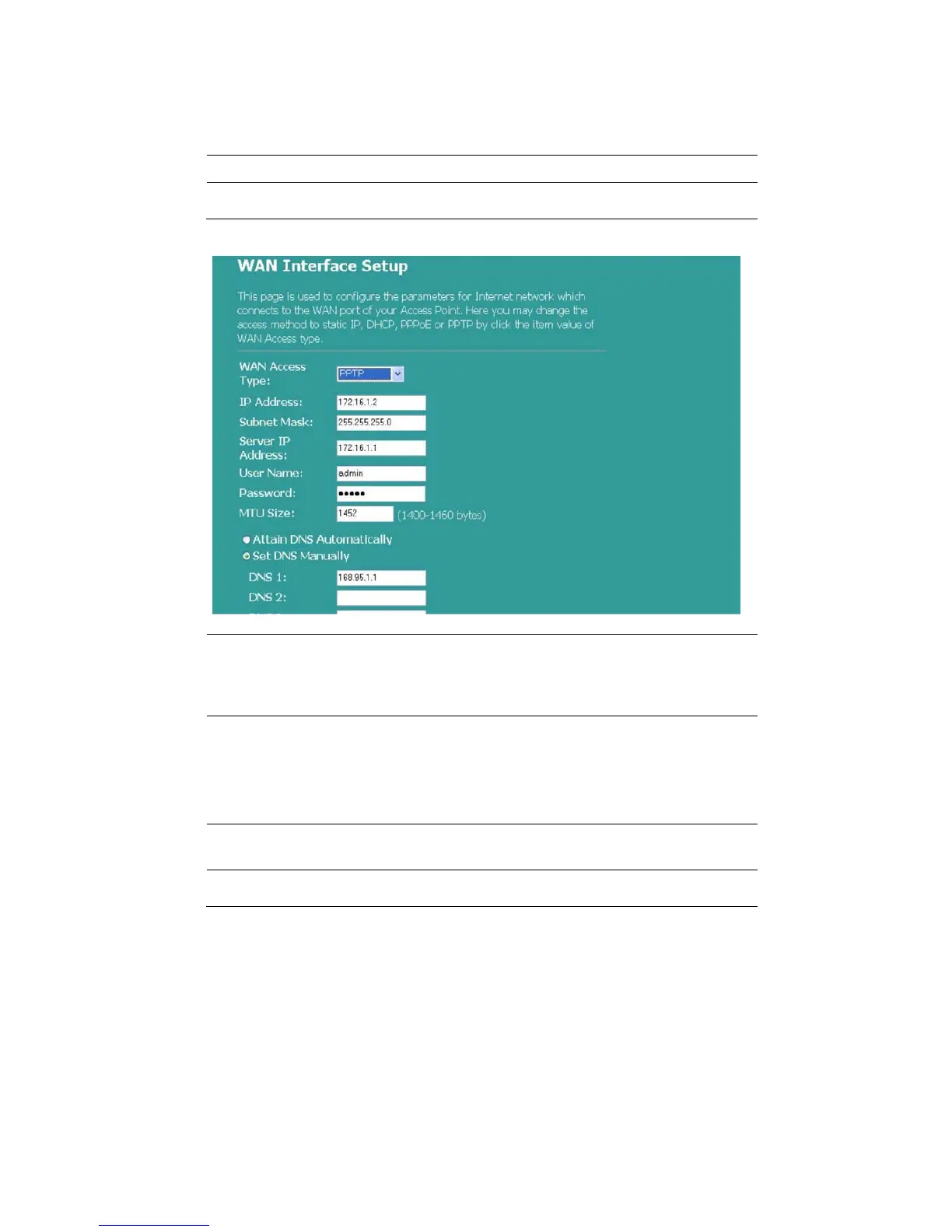
PPTP Mode
IP Address, Subnet
Mask, Server IP
Address, User Name
and Password
Fill in the IP address, Subnet Mask, Server IP
Address, User Name and password that provided by
your ISP.
MTU Size
Enable the Maximum Transmission Unit of Router.
Any packet greater this number will be chopped up
into suitable size before sending. The larger the
number the better the transmission performance.
Enter your MTU number in the text-box to set the
limitation.
Attain DNS
automatically:
If your DNS provided by ISP is dynamic, choose
“Attain DNS automatically
Set DNS Manually
To specify the DNS, enter the DNS provided by your
ISP in DNS 1 2 3.



 To Next Page