118 Operator Maintenance
_______________________________________________________________________________________________
_______________________________________________________________________________________________
MICROPLEX Operator’s Manual SOLID F40 Edition 1.1
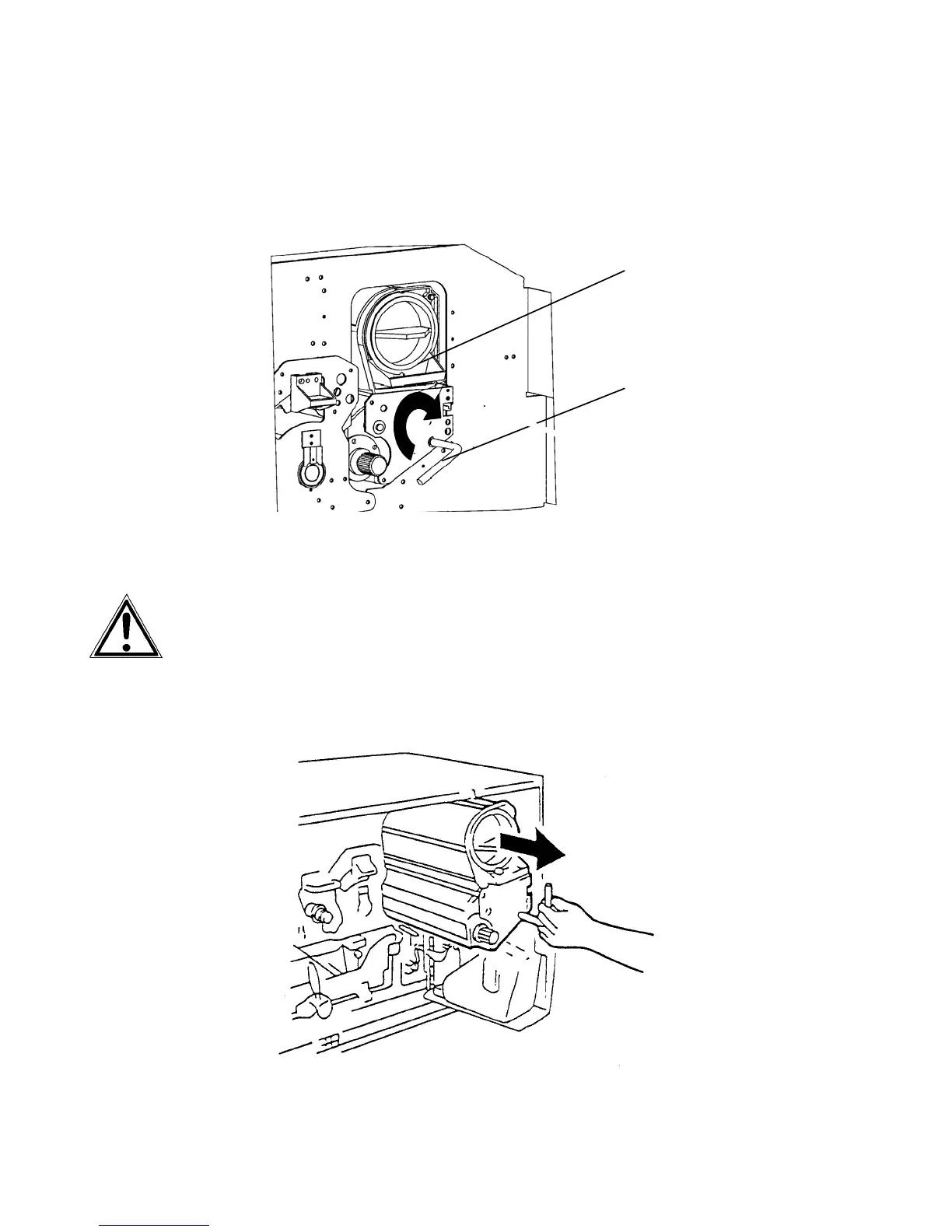
4. Turn the lever of the developer unit clockwise until it points
up. The developer unit will be separated from the photo-
receptor drum by this operation.
Lever
Develope
unit
Pay attention to a correct performance of this operation to avoid
damaging the photoreceptor drum in the following steps.
5. Pull out the developer unit partially by using its lever.



 To Next Page