Operator Maintenance 121
_______________________________________________________________________________________________
_______________________________________________________________________________________________
MICROPLEX Operator’s Manual SOLID F40 Edition 1.1
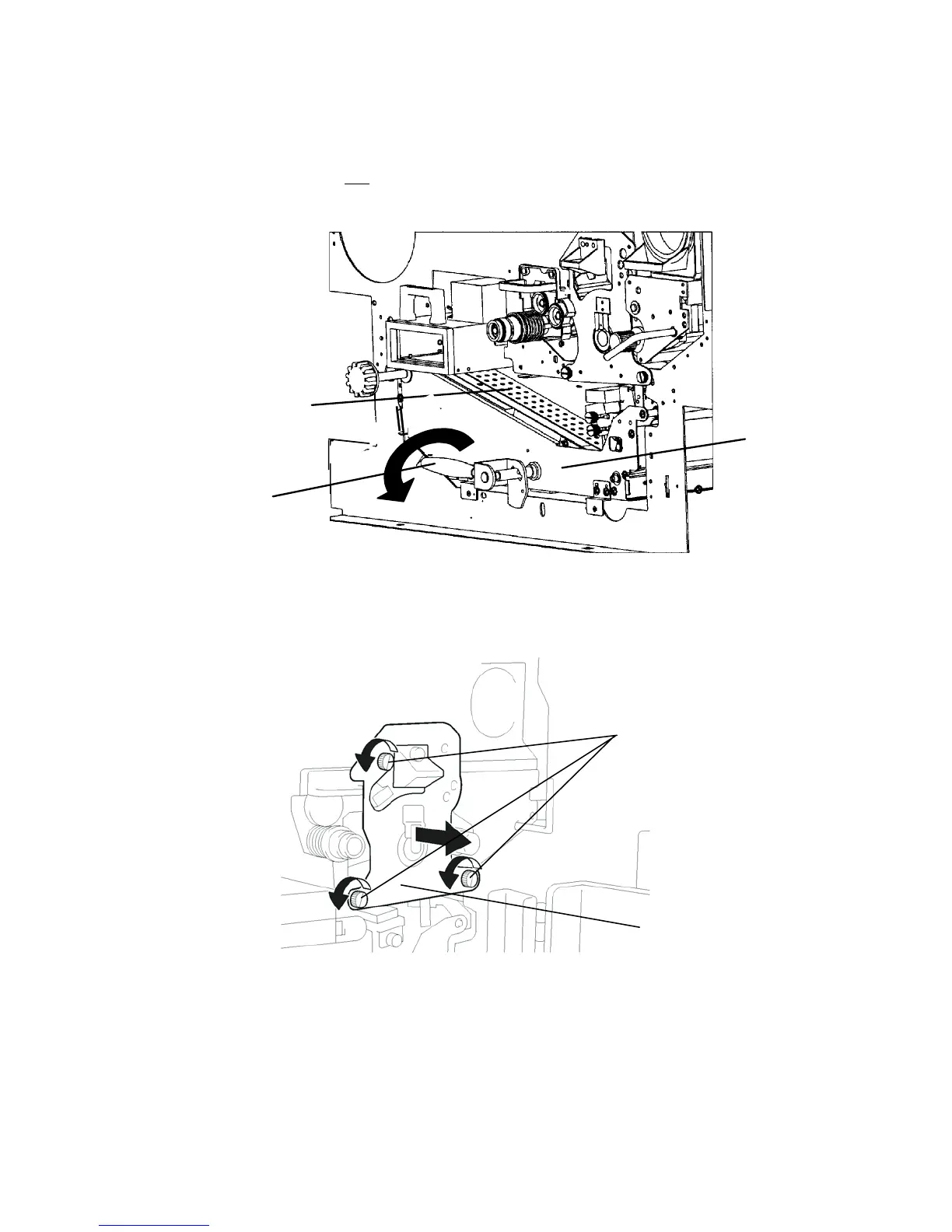
9. Turn the green lever of the transport unit down counter-
clockwise. The unit will be lowered by this operation.
Do not
pull out the transport unit.
Green
lever
ransport path
Transport
unit
10. Turn to loosen the three knob screws the drum plate is fixed
with and remove the drum plate.
Knob screws
Drum plate
!
11. Remove the nut from the drum shaft.
During this operation the drum must not rotate!



 To Next Page