4
1 – Configuration Options
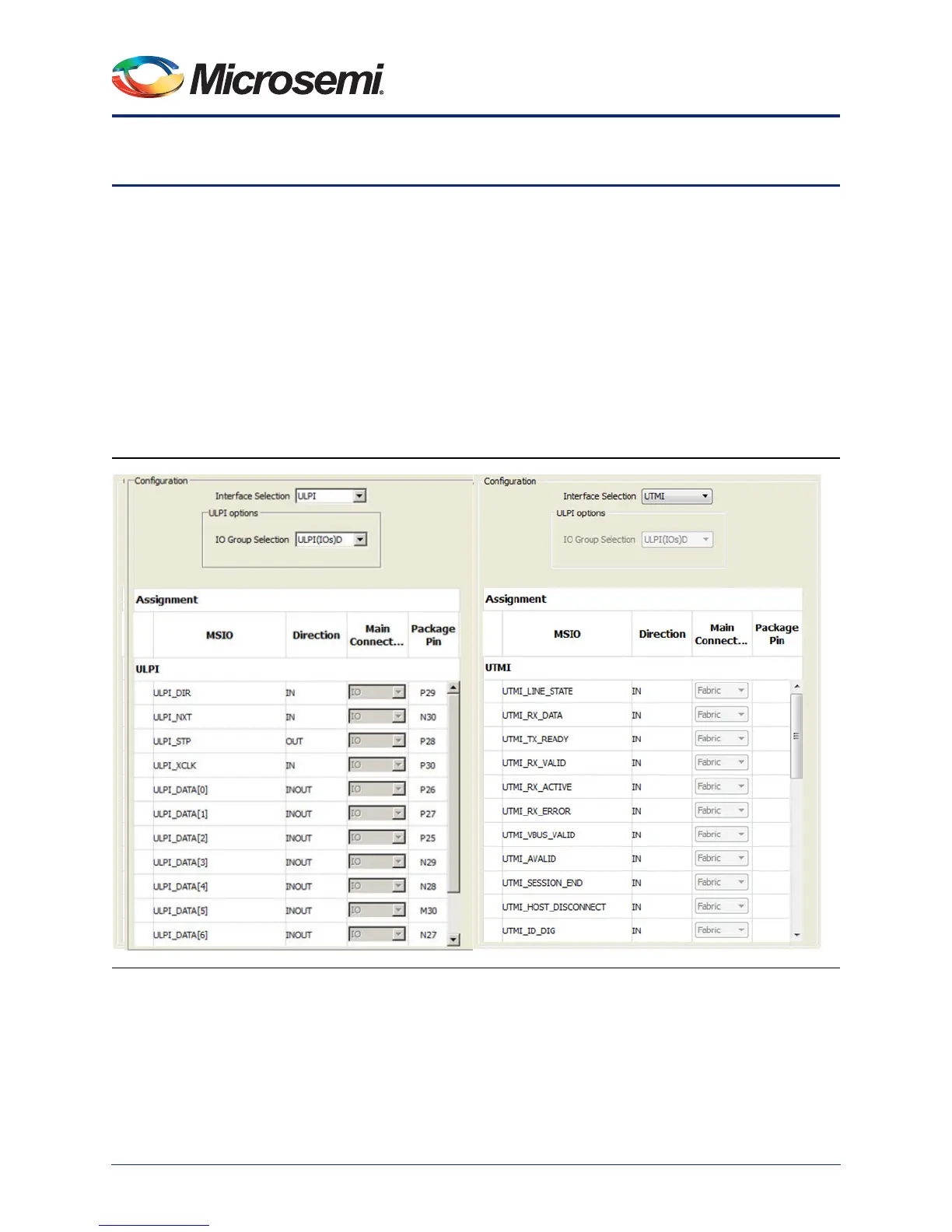
Interface Selection - Use this option to select between the ULPI and UTMI modes (Figure 1-1). When
using the ULPI mode, all USB signals are connected to MSIOs. When using the UTMI option, all USB
signals are connected the FPGA fabric. In either case, the 'Main Connection' column is not editable.
ULPI Options - If you have selected the ULPI mode, you can:
• Select the MSIO group the USB MSIO signals are connected to (A, B, C or D). Each group
defines a different set of device of pins on your device package. Not all groups may be available
on a given device/package combination. Group D usually causes the least number of conflicts
with other peripherals and GPIO. You can try each group and see which pins cause conflict and
iterate through different assignments with the conflicting peripherals and GPIO. Note than in the
M2S050 devices only the D group is available where in the M2S025, M2S010 only the A, B and C
I/O groups are available
Note: If the USB instance is enabled, M3_CLK must be greater than 30.0 MHz. This restriction will be
enforced in the MSS CCC Configurator.
Figure 1-1 • ULPI and UTMI Configuration Options



 To Next Page