11
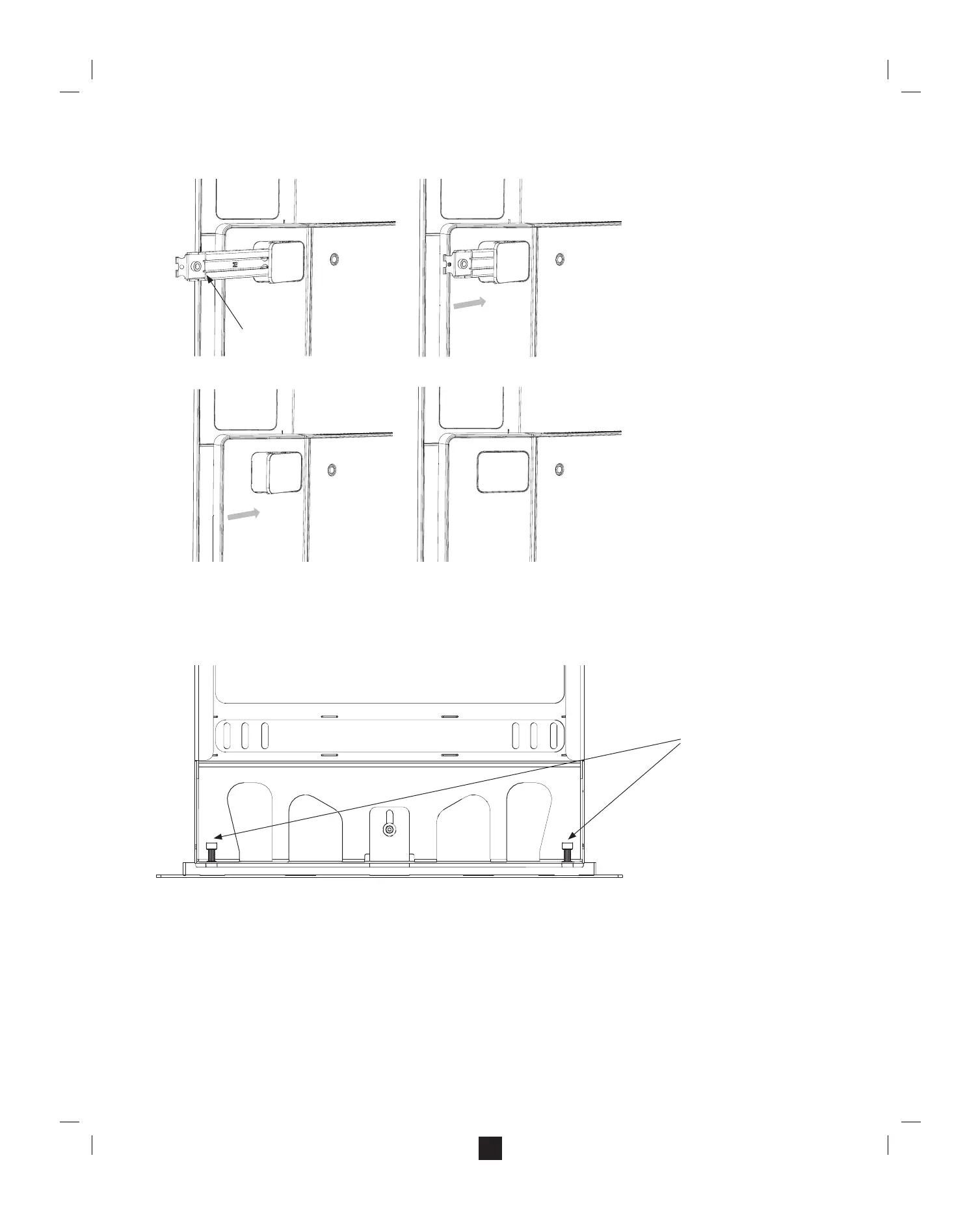
B. Slide the mounting bar into Surface Hub’s frame.
a. Depress the lever inside the mounting bar.
b. Once it releases, slide the mounting bar into the frame.
c. Close the plastic door cover.
d. Repeat for all extended mounting bars.
Step 6: Adjust and level the assembly
A. Use the leveling screws at the bottom of the upright to level the Surface Hub.
a. Adjust the base of the upright to be at on the oor.
b. With the base at on both edges, adjust the leveling screws until the oor support mount and Surface Hub are level.
Note: When you are done, all edges of the upright should be ush against the oor.
Press to
release
Slide in
“Click”
Close
door
Leveling Screws


 To Next Page