17 X22-19688-01
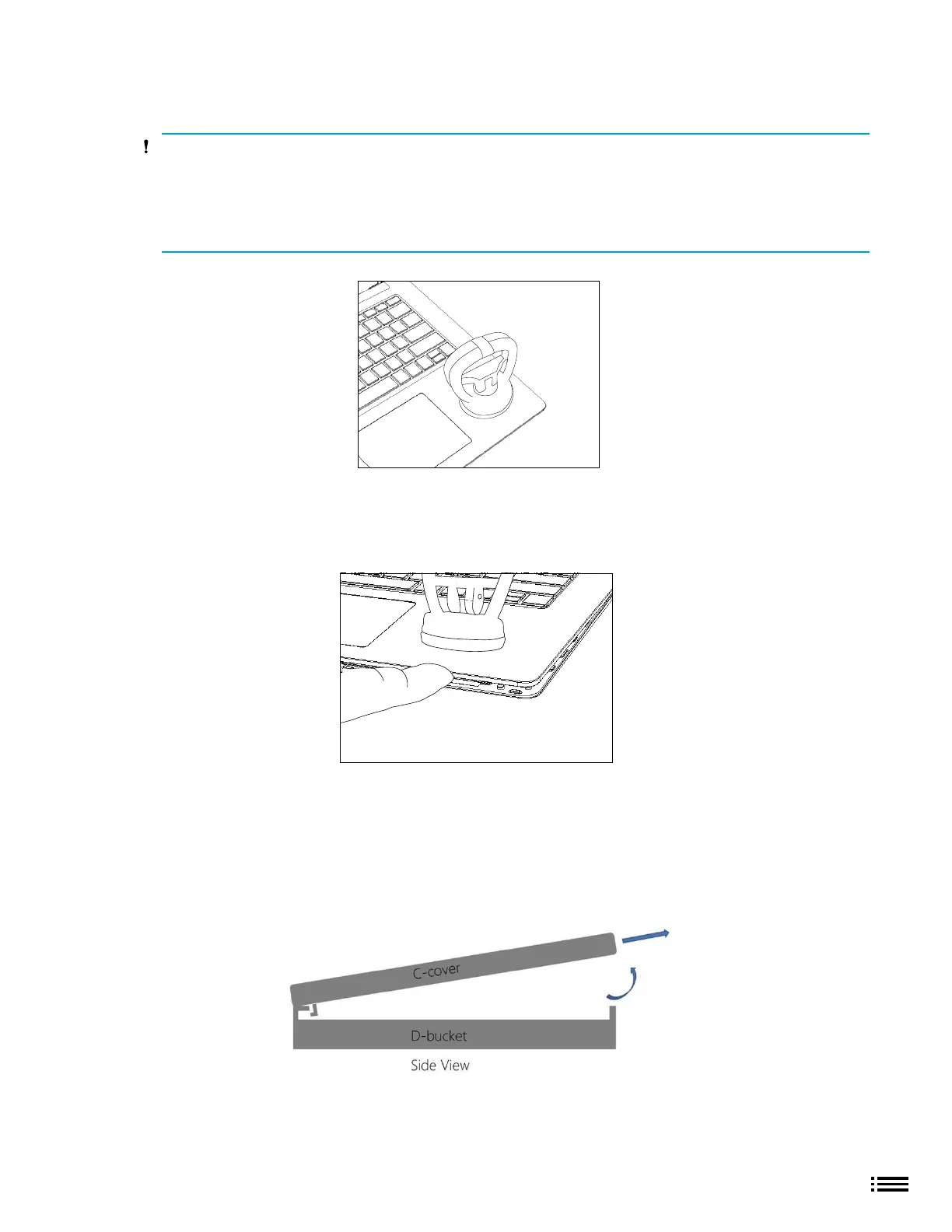
2. Apply suction cups - Place suction cup in the Bottom palm rest area as shown, as close to the edge
as possible.
CAUTION: Do not place suction cup on Trackpad to avoid potential damage to the Trackpad.
CAUTION: Do not wet the suction cup in any way as liquid could stain the keyboard fabric. Place thumb
holding down the corner hinge side of the cover closest to the user as shown. Keep pressure on the hinge
area to prevent back edge of cover from lifting up while pulling up on the suction cup. Be careful to
prevent back edge from lifting up. If suction cup releases before C-cover is separated from device bottom
case then re-attach suction cup and try again.
3. Separate C-cover from device - Once C-cover separation from the device bottom case is achieved, place
a nger between the C-cover and device region and pull upwards slightly to separate the C-cover from
the magnets.
4. Angle C-cover - Angle the C-cover at approximately 45 degrees from horizonal—be sure to angle the
C-cover no more than 45 degrees or else risk damaging the C-cover hook or FPC. If hook is damaged, the
hook needs to be removed carefully to avoid damaging the FPCs, and then a new C-cover needs to
be installed.
5. C-cover hook clearance - Once angled, keep the angle of the C-cover while pulling the C-cover directly
towards yourself. Be sure to avoid pressing on the power button during this procedure.
6. Lift and hover C-cover - After lifting the C-cover completely from the magnets on the device, angle and
hover the C-cover so that the antenna side is facing down towards the device.











 To Next Page